

CN Link Grabber Pro

Overview
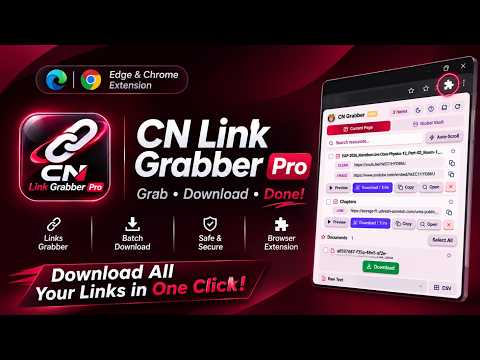
Academic Resource Grabber, Batch PDF Downloader & In-Browser Video Trimming Studio in a refined Burgundy interface.
Organize course lectures, study notes, and reference materials directly from your active tab without cluttering your workflow. CN Link Grabber Pro scans the current page and presents embedded media, cloud documents, and PDFs inside a clean, collapsible sidebar with Light and Dark themes. Key Capabilities 1. Smart Resource Detection Automatically identifies embedded YouTube™ lectures, cloud documents from Google Drive™, and PDF handouts on educational pages. Modern canvas-based document viewers are also recognized with readable titles so you can find materials quickly. 2. Batch Document Saving Select multiple lecture handouts or reference files and save them together into organized subfolders inside your default downloads directory, complete with live progress tracking. 3. Local Clip Trimmer For direct MP4 files and adaptive HLS course streams, open the built-in Studio to set start and end timestamps on an interactive timeline and export trimmed clips locally in your browser—no re-encoding or server uploads required. 4. Cross-Tab Vault & Study Exports Pin important items across browsing sessions in your personal Vault, use the auto-scroll scanner for long course lists, and copy selected items as plain text, Markdown, or CSV spreadsheets for your notes. 5. Built-In Preview & Support Preview lecture embeds inside the sidebar mini-player, switch between the floating overlay or the browser Side Panel, and reach the developer directly through the in-sidebar feedback form. Privacy All scanning, file grouping, and media processing run locally inside your browser. No browsing history or personal data is collected, tracked, or shared with third parties. YouTube and Google Drive are trademarks of Google LLC.
0 out of 5No ratings
Details
- Version4.1.0
- UpdatedNovember 17, 2026
- Offered byMarjuk Amin
- Size4.33MiB
- LanguagesEnglish
- DeveloperMARJUK AMIN
30/17 E Darul Aman Mohollah Sonadanga, Khulna Khulna 9100 BDEmail
contact@marjukamin.comPhone
+880 1943-549559 - TraderThis developer has identified itself as a trader per the definition from the European Union and committed to only offer products or services that comply with EU laws.
Privacy

This developer declares that your data is
- Not being sold to third parties, outside of the approved use cases
- Not being used or transferred for purposes that are unrelated to the item's core functionality
- Not being used or transferred to determine creditworthiness or for lending purposes
Support
For help with questions, suggestions, or problems, visit the developer's support site