

Web Scraper & Data Extractor – Clura

Overview
Smart Web Scraper & Data Extractor. Auto-detect lists, tables & pagination. Export to Excel/CSV. 100% local, private & no-code.
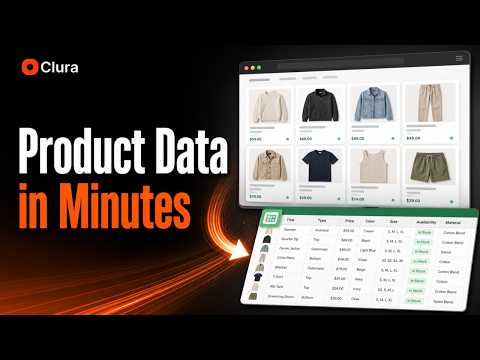
Clura turns the data you see on a web page into a table you can export. Open a page in Chrome, click Clura, and Quick Scrape detects the repeated records on the page, such as listings, search results, or product cards, and shows them as rows and columns. Review the table, then download it as CSV or Excel. No code or CSS selectors needed. FEATURES • Quick Scrape: turn visible records on a page into a table, with source URLs kept for review. • Sub-page scrape: after scraping a list, pick fields from each result's detail page and add them as new columns. • Enrichment: add emails, phone numbers, and LinkedIn URLs to rows where they can be found. • Agents: run a saved scrape daily, weekly, or monthly to collect fresh records. • Connectors: send rows to Notion, HubSpot, Airtable, or a webhook. New rows are appended, not overwritten. HOW IT WORKS 1. Open a page with the data you want. 2. Click Clura and run Quick Scrape. 3. Review the detected rows and columns. 4. Export, enrich, or send the data to a connector. Useful for lead lists, product and price research, job and property listings, and directory data. RESPONSIBLE USE Clura only extracts data that is visible in your own browser session. It doesn't bypass logins, paywalls, or access controls. You are responsible for following each website's terms and applicable privacy and email laws. Don't use extracted data for spam.
5 out of 52 ratings
Details
- Version1.7.3
- UpdatedOctober 22, 2026
- FeaturesOffers in-app purchases
- Size5.51MiB
- Languages52 languages
- DeveloperWebsite
Email
rohith@clura.ai - Non-traderThis developer has not identified itself as a trader. For consumers in the European Union, please note that consumer rights do not apply to contracts between you and this developer.
Privacy

Web Scraper & Data Extractor – Clura has disclosed the following information regarding the collection and usage of your data. More detailed information can be found in the developer's privacy policy.
Web Scraper & Data Extractor – Clura handles the following:
This developer declares that your data is
- Not being sold to third parties, outside of the approved use cases
- Not being used or transferred for purposes that are unrelated to the item's core functionality
- Not being used or transferred to determine creditworthiness or for lending purposes
Support
For help with questions, suggestions, or problems, visit the developer's support site