

Cloudata Text Expander
1 rating
)
Overview
Expand saved text shortcuts in website fields and Chrome's address bar.
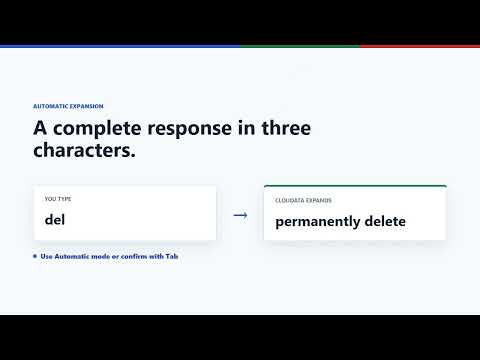
Cloudata Text Expander helps you type recurring phrases faster by replacing short, configurable shortcuts with complete text. Q Features: - Create, edit, and delete your own shortcut mappings. - See matching suggestions while typing. - Press Tab to accept a suggestion. - Expand an exact shortcut with Space or Enter. - Works in standard text fields, text areas, and editable web content. - Synchronizes mappings through Chrome Sync when browser synchronization is enabled. Example: configure "del" to expand to "permanently delete". The extension temporarily processes text before the cursor only to identify the current shortcut and find a matching replacement. Website text is not retained or transmitted. It does not send browsing history, analytics, or typed website content to Cloudata or any developer-controlled server. Powered by Cloudata.
5 out of 51 rating
Details
- Version1.7.2
- UpdatedJuly 22, 2026
- FeaturesOffers in-app purchases
- Offered byCloudata
- Size102KiB
- LanguagesEnglish
- DeveloperCloudata Solutions EIRL
Jr Manco Capac 220 Piso 3 Lima, Municipalidad Metropolitana de Lima 15063 PEEmail
jorge.flores@cloudata.pePhone
+51 991 215 604 - TraderThis developer has identified itself as a trader per the definition from the European Union and committed to only offer products or services that comply with EU laws.
- D-U-N-S751740355
Privacy

Cloudata Text Expander has disclosed the following information regarding the collection and usage of your data. More detailed information can be found in the developer's privacy policy.
Cloudata Text Expander handles the following:
This developer declares that your data is
- Not being sold to third parties, outside of the approved use cases
- Not being used or transferred for purposes that are unrelated to the item's core functionality
- Not being used or transferred to determine creditworthiness or for lending purposes
Support
For help with questions, suggestions, or problems, please open this page on your desktop browser