


Overview
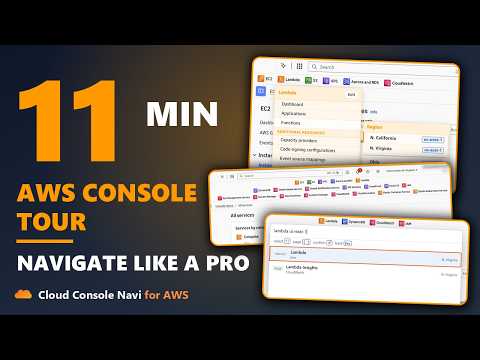
AWS Console Navigation: multi-row favorites bar, dropdown menu for services, quick search, switch roles/regions, Vim mode shortcuts.
Cloud Console Navi for AWS (CCN) helps you navigate the AWS Console like a PRO. Free Features: - Batch Pin Services: pin a whole list of services in one click. - Mouse Control: wheel-scroll the favorites bar and drag to reorder. - Service Alias: give every service your own short name. - Quick Search: press c or n, search every service and jump to it. - Vim Mode: page links, the favorites bar and commands, all from the keyboard. - Identity Chip: see your account and role at a glance, production in red, and switch roles in one click. And more features to be explored. Prime Features: (Paid plans, but 14-day free trial when you sign up and no credit card required) - Fav. Bar Control: up to three rows, with layout and font size. - All-Service Menus: hover a service for a menu of its console pages, for 200+ AWS services. - Settings Sync: sync all your extension settings across browsers. [Launch Gift, now on] The Lifetime plan is free for the first 100 accounts, while seats last. No credit card required. Your AWS account information, such as account IDs and role names, and the menu pages you add yourself stay in your browser. They are never uploaded or synced. Service names on the favorites bar always use the official AWS English names, even when your AWS Console is set to another language. Cloud Console Navi is an independent product and is not affiliated with, endorsed by, or sponsored by Amazon Web Services, Inc. AWS and related marks are trademarks of Amazon.com, Inc. or its affiliates.
0 out of 5No ratings
Details
- Version1.3.5
- UpdatedNovember 25, 2026
- FeaturesOffers in-app purchases
- Size2.25MiB
- Languages12 languages
- DeveloperWebsite
Email
contact@console-navi.com - Non-traderThis developer has not identified itself as a trader. For consumers in the European Union, please note that consumer rights do not apply to contracts between you and this developer.
Privacy

This developer declares that your data is
- Not being sold to third parties, outside of the approved use cases
- Not being used or transferred for purposes that are unrelated to the item's core functionality
- Not being used or transferred to determine creditworthiness or for lending purposes
Support
For help with questions, suggestions, or problems, visit the developer's support site