

Close & Clean

Przegląd
Close all tabs and windows and clean up Chrome in one single click
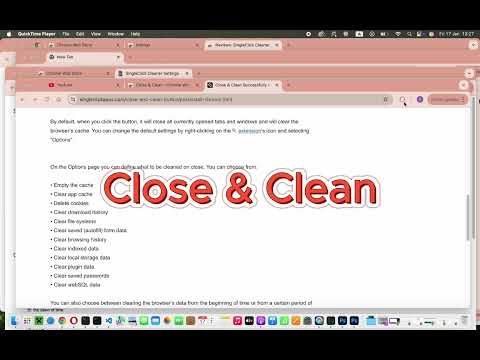
Close & Clean is a convenient extension that instantly closes all your open tabs and windows while automatically cleaning your browsing data. With just one click on the toolbar button (or by pressing Ctrl+Shift+X on Windows/Linux or Cmd+Shift+X on Mac), you can clean and close the browser. Choose what to remove on the options page—delete cache, cookies, history, and more! Key Features * One-Click Closure: Instantly close all open tabs and windows. * Customizable Cleaning: Select exactly what to remove – cache, cookies, download history, form data, local storage, plugin data, passwords, etc. Options: * Keep Current Tab: Preserve the page you’re on while closing everything else. * Pinned Tabs: Decide whether pinned tabs stay open or get closed—and even merge them in one window if desired. * Confirmation Prompt: Ask for a confirmation (if you want) before the cleanup. Access all settings in the “Options” page and adjust your preferences anytime. How It Works 1. Click the “Close & Clean” Button to cleanup whatever you set it to clean and close all tabs and windows you set it to close. By default, it closes all open tabs and clears only the browser cache. 2. Right-click the extension icon → “Options” to decide which data gets removed. You can set the extension to: * Empty the cache * Clear app cache * Remove cookies * Delete download history * Clear file systems * Delete saved (autofill) form data * Clear browsing history * Remove indexed data * Delete local storage data * Clear plugin data * Delete saved passwords * Clear WebSQL data 3. Customizable Icon: Choose from several built-in icons to match your Chrome theme or even set your own 19×19 px icon. Why Use Close & Clean? - Protect Your Privacy: Quickly remove sensitive data before stepping away from your computer. - Boost Performance: Clearing out cache and other data can help Chrome run faster. - Streamlined Workflow: No more manually digging through browser settings every time you want a fresh slate. To Get Started 1. Install Close & Clean from the “Add to Chrome” button. 2. Pin the extension to your toolbar if you want it always visible. 3. Click the toolbar button to instantly close your tabs and optionally clear various data. 4. Fine-Tune your preferences in the “Options” page to suit your workflow. No Data Collection Your privacy is our priority. Close & Clean does not track, collect, or store any personal information or browsing data. All cleaning tasks happen locally on your device. No information ever leaves your browser. Permissions Needed * tabs: Needed to close your open tabs and windows upon request. * browsingData: Required to clear selected browsing data (e.g., cache, cookies, history) based on your preferences. * storage: Allows saving of your custom settings (e.g., whether to clear cookies, pinned tab preferences, etc.). We use these permissions only to fulfil the extension’s core functionality. No data is transmitted to external servers.
4,3 na 536 ocen
Szczegóły
- Wersja2.1.0.0
- Zaktualizowano22 stycznia 2025
- Rozmiar40.51KiB
- JęzykiEnglish
- DeweloperWitryna
E-mail
singleclickapps@gmail.com - Osoba niebędąca przedsiębiorcąTen deweloper nie określił, że jest przedsiębiorcą. Pamiętaj, że prawa konsumentów nie obowiązują w przypadku umów zawartych między tym deweloperem a konsumentami z Unii Europejskiej.
Prywatność

Ten wydawca oświadcza, że Twoje dane
- nie są sprzedawane osobom trzecim (z wyjątkiem uzasadnionych przypadków)
- nie są używane ani przesyłane w celach niezwiązanych z podstawową funkcją produktu,
- nie są używane ani przesyłane w celu ustalenia zdolności kredytowej lub udzielania pożyczek.
Pomoc
Jeśli masz pytania, sugestie lub problemy, otwórz tę stronę w przeglądarce na komputerze