

Clipy: Agent-Readable Screen Recorder

Overview
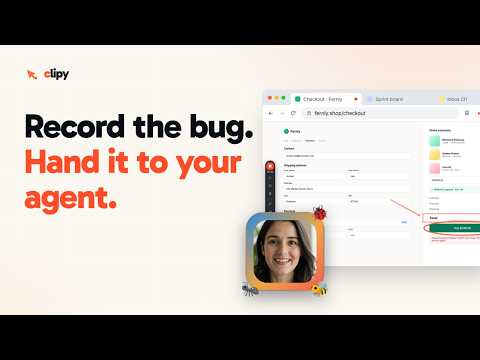
The agent-readable screen recorder. Record any tab, window, or webcam; every clip becomes context your AI agents can act on.
Capture a Chrome tab, your full screen, an app window, or just your webcam, then get a share link the moment you press Stop. Each video also comes with an AI summary, a timestamped transcript, and key moments, so a teammate or an AI coding agent such as Claude Code, Codex, or Cursor can follow what happened without watching all of it. FEATURES • Tab, full screen, window, or webcam-only • Microphone, tab audio, or system audio • Draggable webcam bubble: circle, pill, or rectangle • Draw arrows, highlights, and text on the page as you go • Blur sensitive areas with a brush stroke • Cursor spotlight and click highlights • One-click screenshots you can edit, copy, download as PNG, or turn into a link • Pause and resume. Alt+Shift+C starts or stops, Alt+Shift+P pauses • Optional bug capture for tab recordings: the video carries the page's console errors, failed requests, and the steps you took, so a bug report shows what broke and not just what it looked like • The recording uploads while you record, so the link is ready seconds after you stop and is already copied to your clipboard • Viewers watch in the browser with no install and no sign-in • On loom.com pages, a "Save to Clipy" menu can download a Loom video or copy it into your Clipy library PRIVACY • Recordings go to your own Clipy account on clipy.online • To write summaries, transcripts, and reports, Clipy uses the service providers listed at clipy.online/trust. We do not sell data or share it with advertisers. Full policy: clipy.online/privacy • You can delete anything from your account at any time, and its data goes with it • Optional bug capture is off by default and works only on tab recordings. When you turn on "Capture bug context" and accept its consent screen, the recording also carries that tab's console warnings and errors (or every console message, if you choose), uncaught errors, failed network requests (or every request, if you choose) with method, address, status, timing, and GraphQL errors, live-connection activity, the buttons and fields you used (by their label, never their contents), the pages you moved between, and your browser, operating system, screen size, language, time zone, and connection type. A separate "Full network detail" setting, with its own consent screen, adds redacted request and response headers and text bodies and WebSocket messages; a request body can include text a form sent. Cookies, authorization headers, and storage are never read. Passwords, tokens, keys, emails, national ids, and card numbers are stripped in your browser before upload. Anyone who can watch the recording can see this data. Sign-in providers are excluded by default, you can exclude any other site, and the control bar shows "Bug capture on" the whole time. PRICING The extension is free to install and no card is needed. A new account includes a seven-day trial with up to 15 recordings or 2 hours, whichever comes first. After that, Clipy Pro is $9/month. Nothing is ever watermarked, and everything you made stays playable, shareable, and downloadable. Sign in with Google to save your work. Questions or feedback: support@clipy.online
5 out of 515 ratings
Details
- Version2.1.53
- UpdatedOctober 29, 2026
- FeaturesOffers in-app purchases
- Size269KiB
- LanguagesEnglish
- DeveloperWebsite
Email
manovagyanik1@gmail.com - Non-traderThis developer has not identified itself as a trader. For consumers in the European Union, please note that consumer rights do not apply to contracts between you and this developer.
Privacy

Clipy: Agent-Readable Screen Recorder has disclosed the following information regarding the collection and usage of your data. More detailed information can be found in the developer's privacy policy.
Clipy: Agent-Readable Screen Recorder handles the following:
This developer declares that your data is
- Not being sold to third parties, outside of the approved use cases
- Not being used or transferred for purposes that are unrelated to the item's core functionality
- Not being used or transferred to determine creditworthiness or for lending purposes
Support
For help with questions, suggestions, or problems, please open this page on your desktop browser