

CreativeClip – HD Video Downloader & Creative Saver

Overview
Find the videos on any page and save them in one click — full quality, no sign-up, no ads, completely private.
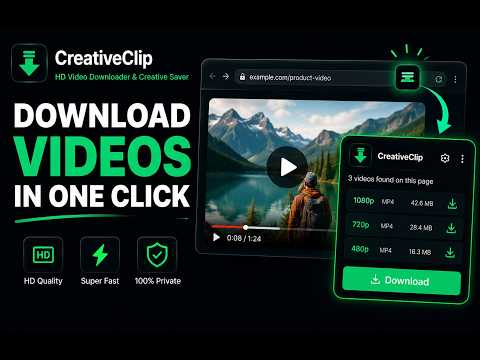
CreativeClip – HD Video Downloader & Creative Saver Download and save HD videos directly from the web pages you visit with CreativeClip — a fast video downloader extension and creative saver built for marketers, creators, D2C founders and everyday web users. CreativeClip detects the available video files on the page you're viewing and saves them straight to your computer. No copying video links. No pasting URLs into third-party downloader websites. No complicated setup. Open the page, scan for videos, and download. HOW IT WORKS 1. Open a web page that has a video. 2. Click the CreativeClip extension and select "Scan this page for videos." 3. View the available videos detected on the page. 4. Rename any file if you like. 5. Click Download — the video saves directly to your computer. That's it. No accounts, no link-pasting, no shady download buttons. WHY CREATIVECLIP • Video detection — finds the available video files on the page you're viewing. • HD video downloads — saves the highest-quality source the page provides. • Multiple videos — detects and saves several available videos at once when present. • Rename before saving — give each video a meaningful filename. • Browser-based workflow — no copying links into external downloader sites. • Private & lightweight — no account required for the core downloader. A note on quality: video resolution depends on the original source. CreativeClip saves the available HD version when the page provides it — it never artificially upscales or fakes HD. A VIDEO DOWNLOADER BUILT FOR CREATIVE RESEARCH CreativeClip isn't just a general web video downloader — it's a creative saver for marketers, ecommerce teams, media buyers and D2C founders. While researching online you constantly find video worth keeping: product demos, UGC-style creatives, advertising hooks, offer presentations, landing-page videos and creative concepts. Instead of leaving twenty tabs open or losing track of where you saw something, CreativeClip helps you save the videos you're permitted to download and turn everyday browsing into an organized creative library. BUILD A CREATIVE SWIPE FILE A swipe file is a collection of ad and content examples saved for inspiration and research. With CreativeClip you can save permitted video references and name them to fit your workflow, for example: Brand – Product – Hook Category – Creative Type – Offer Then revisit them when writing briefs, planning campaigns or briefing designers and editors. A saved example often communicates an idea faster than a paragraph — study hooks, angles, pacing, offers, product demonstrations and calls to action from creatives you've saved. WHO CREATIVECLIP IS FOR • D2C founders and ecommerce teams • Performance marketers and media buyers • Creative strategists and advertising agencies • Content creators, designers and video editors • Researchers and social media teams • Everyday users who want a simple way to save videos they have the right to download FIND → SCAN → SAVE → ORGANIZE For everyday users, CreativeClip is a convenient HD video saver for the web. For marketers and D2C founders, it becomes a creative collection tool for studying advertising, products and creative ideas. Use CreativeClip when you need an HD video downloader, a video downloader extension, a web video downloader, a video saver, a creative saver or an ad creative saver — all in one lightweight browser extension. Find a video worth keeping. Clip it with CreativeClip.
5 out of 537 ratings
Details
- Version1.0.2
- UpdatedJuly 31, 2026
- Size14.56KiB
- LanguagesEnglish
- DeveloperAkshay Kumar SinghWebsite
Kh 276/175 Keshav Lane 1A, Gali no. 0, Durga Ata Chakki, Wazirabad, North Delhi Delhi, Delhi 110084 INEmail
blog.techlaugh@gmail.com - Non-traderThis developer has not identified itself as a trader. For consumers in the European Union, please note that consumer rights do not apply to contracts between you and this developer.
Privacy

This developer declares that your data is
- Not being sold to third parties, outside of the approved use cases
- Not being used or transferred for purposes that are unrelated to the item's core functionality
- Not being used or transferred to determine creditworthiness or for lending purposes
Support
For help with questions, suggestions, or problems, please open this page on your desktop browser