

ClipNix Video Editor
10 ratings
)
Overview
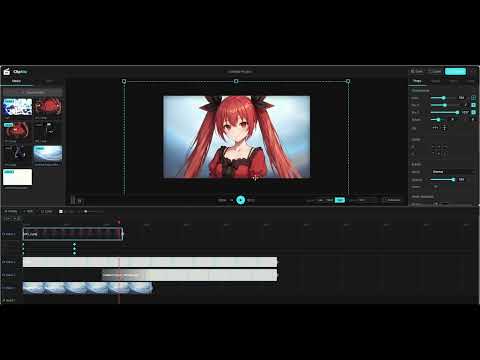
ClipNix Video Editor — a browser extension for video editing with timeline, transforms, and local MP4 export
ClipNix is a completely free video editor that runs entirely in your browser. No accounts, no watermarks — your files never leave your computer. Open it in a tab and start creating. Create stunning videos, gifs and sounds effortlessly. Edit, enhance, and publish content faster. Features: ○ Multi-layer editing with stackable video, image, text and audio tracks ○ Full undo/redo history, copy/paste/duplicate, and a complete keyboard shortcut set ○ One-click filter looks ○ Clip animations and effects ○ Fine adjustments ○ High-quality green-screen removal ○ Blend modes and per-layer filters you can stack on top of clip looks ○ Free transform: move, scale, rotate, flip and fade any clip ○ Full keyframe system — animate position, scale, rotation, opacity, filters and volume over time ○ Sound effect presets Rendering options: Video: MP4, WebM, MOV Animated GIF with a built-in high-quality encoder Audio-only: MP3, WAV, AAC Choose resolution and frame rate; renders happen right on your machine. PRIVATE BY DESIGN Everything - playback, effects, rendering - happens locally in your browser. Your footage is never uploaded anywhere.
5 out of 510 ratings
Details
- Version1.0.1.30
- UpdatedSeptember 5, 2026
- Size1.38MiB
- LanguagesEnglish
- Developer
Email
elin.wonderkin@gmail.com - Non-traderThis developer has not identified itself as a trader. For consumers in the European Union, please note that consumer rights do not apply to contracts between you and this developer.
Privacy

This developer declares that your data is
- Not being sold to third parties, outside of the approved use cases
- Not being used or transferred for purposes that are unrelated to the item's core functionality
- Not being used or transferred to determine creditworthiness or for lending purposes