

YouTube Notes to Anki Flashcards & Spaced Repetition — ClipMark

Overview
Turn YouTube lectures into timestamped notes and Anki flashcards, lock them in with spaced-repetition review. No account needed.
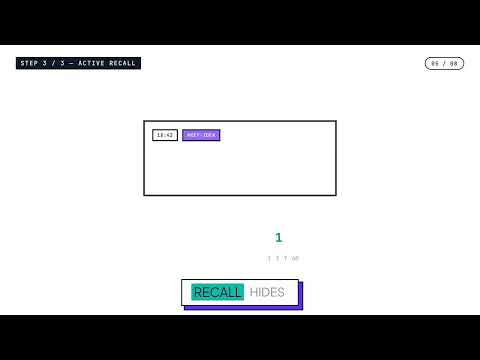
Turn YouTube lectures into flashcards you actually remember. ClipMark lets you bookmark the exact moment that matters in any YouTube video — a professor's explanation, a mechanism, a diagram — then brings that moment back for review before you forget it. Built for anyone learning from video, and tuned for students who live in Anki: the workflow already works with Boards & Beyond, Sketchy, Ninja Nerd, and any other lecture you study from. WHY CLIPMARK Most note-taking tools summarize a video once and let you forget it. ClipMark is built around retention, not summarization — capture the moment, then let spaced review bring it back until it sticks. HOW IT WORKS 📌 Capture in one keystroke Hit a shortcut (or the ClipMark button) while a YouTube video plays to save the exact timestamp — no pausing, no switching tabs. Add a quick note and tag, or let ClipMark's on-device AI draft one for you from the surrounding transcript (free, runs entirely in your browser — nothing leaves your device). 🧠 Active Recall Mode This is the core loop: when a saved moment comes due for review, ClipMark shows you the timestamp and tags but hides your note. Try to recall it first — then reveal your note and replay the clip to confirm. Say "got it" and the next review interval doubles; say "again" and it comes back tomorrow. It's spaced repetition built for video, not flashcard text. 🔗 Every card links back to the source No paraphrasing, no lossy summary — every review links straight back to the exact second in the original video, so you're reviewing the professor's actual explanation, not someone's rewrite of it. 📤 Export straight to Anki ClipMark doesn't compete with Anki — it feeds it. One click exports your reviewed segments (note, timestamp, and a deep link back to the moment) into an Anki-importable file, so you keep the deck and workflow you already trust. 🗂️ Share a collection Turn a lecture series into a shareable ClipMark collection — a public link classmates can open to see the same bookmarked moments, the same way AnKing-style shared decks already circulate in study groups. 🏷️ Smart tags Add #tags in your notes and ClipMark colors and organizes them automatically, so a semester's worth of bookmarks stays browsable instead of turning into a pile. ALSO INCLUDED • Color-coded markers on the YouTube progress bar • Export your library as JSON, CSV, or Markdown — plus Notion and Obsidian formats • Keyboard shortcuts: Alt+B to save silently, Ctrl+Shift+S to quick-save • Resume playback from where you left off FREE VS. PRO Free gets you the full loop, generously capped: unlimited local bookmarks, 25 standing Active Recall segments, 30 reviews a month, 1 Anki export a month, and up to 10 shared collections — enough to build and review a real deck from one full lecture. Pro removes the caps and adds cross-device cloud sync, unlimited Active Recall and Anki exports, unlimited shared collections, and one-click export to Notion and Obsidian. WHO IT'S FOR Built first for USMLE Step 1/Step 2 students and IMGs studying from free YouTube lecture channels alongside Anki — but the same loop works for any course, lecture, or video you're trying to actually retain, not just watch once. Get started: Install ClipMark, Open any YouTube video, and Save your first moment.
5 out of 53 ratings
Details
- Version1.0.13
- UpdatedOctober 8, 2026
- FeaturesOffers in-app purchases
- Size546KiB
- LanguagesEnglish
- DeveloperWebsite
Email
founder@mithahara.com - Non-traderThis developer has not identified itself as a trader. For consumers in the European Union, please note that consumer rights do not apply to contracts between you and this developer.
Privacy

YouTube Notes to Anki Flashcards & Spaced Repetition — ClipMark has disclosed the following information regarding the collection and usage of your data. More detailed information can be found in the developer's privacy policy.
YouTube Notes to Anki Flashcards & Spaced Repetition — ClipMark handles the following:
This developer declares that your data is
- Not being sold to third parties, outside of the approved use cases
- Not being used or transferred for purposes that are unrelated to the item's core functionality
- Not being used or transferred to determine creditworthiness or for lending purposes
Support
For help with questions, suggestions, or problems, please open this page on your desktop browser