


Overview
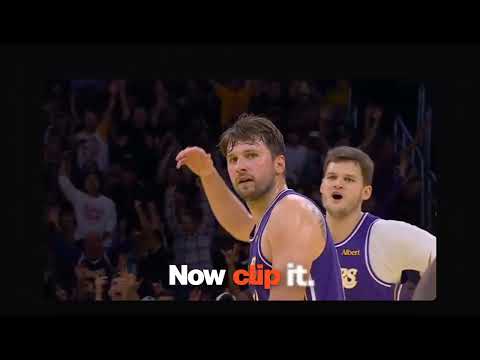
Clip any viral moment. One key saves the last few seconds of any video as an MP4 and a GIF to post, keep or share.
Clip any viral moment. Press Alt+Shift+C (⌥⇧C on a Mac) on any video and ClipKey saves what you just watched as an MP4 with sound and a looping GIF. Press Alt+Shift+V in a chat and drop it in. Clip it. Save it. Share it. No uploads · No account · No watermark ━━ CLIP ━━ • Clip what already happened. No need to hit record first: ClipKey rewinds the player, records the last few seconds as they replay, and puts you right back where you were. • Pick the exact seconds. The trimmer docks on the player with the last 5 seconds lined up. Drag a handle and the video scrubs with you, nudge by a tenth of a second, preview with sound, press Enter. • Works on the videos you already watch: regular videos, short vertical videos, feeds, and live streams, plus most video players embedded in other pages. ━━ SAVE ━━ • Every clip saves twice: an MP4 with sound for sharing, and a looping GIF for reacting. • Your shelf keeps your recent clips in the toolbar panel and Chrome's side panel. Replay, download the MP4 or GIF, open the source video, or drag a clip anywhere. • Each clip credits whoever made it, with the channel or creator's handle in the corner. ━━ SHARE ━━ • Click into a chat's message box and press Alt+Shift+V: your clips pop up right there. Pick one with 1–9, press Tab to switch between MP4 and GIF, and it lands as an attachment, ready to send. • Or download it and post it anywhere. • Turn on "Offer new clips in chats" and ClipKey suggests your newest clip the moment you click into a message box. ━━ PRO ━━ • Reaction GIFs: type your own caption or tap "Always.", "Me rn" or "Same", and it's burned into the MP4, the GIF and the thumbnail in classic bold meme lettering. Change it any time without losing quality. • Instant clips: turn them on for the sites you watch most and ClipKey keeps the last few seconds ready, so the key saves them at once with no replay. Each site asks for permission only when you turn it on. • Clips up to 15 seconds, a 30-clip shelf, and no weekly limit. ━━ FREE OR PRO ━━ Free, for good: 10 clips a week (resets every Monday), clips up to 5 seconds, a 10-clip shelf, MP4 and GIF, the trimmer, and chat insert. Pro: a one-time $12 purchase on clipkey.site. Not a subscription. ━━ PRIVATE BY DESIGN ━━ Capture, encoding, captions and storage all happen inside your browser. ClipKey has no servers for your clips, no account and no analytics. It can't see a site until you press one of its keys or click its icon, and then only that tab. Good to know • Won't clip DRM-protected streaming services, which block it by design. • Change the shortcuts any time at chrome://extensions/shortcuts. Privacy policy: https://www.clipkey.site/privacy
0 out of 5No ratings
Details
- Version0.0.1
- UpdatedNovember 13, 2026
- Size470KiB
- LanguagesEnglish
- DeveloperAlele Donald OboteWebsite
10b waterstone house 13 central hill London SE19 1BG GBEmail
donaldalele@gmail.comPhone
+44 7398 473981 - TraderThis developer has identified itself as a trader per the definition from the European Union and committed to only offer products or services that comply with EU laws.
Privacy

ClipKey has disclosed the following information regarding the collection and usage of your data. More detailed information can be found in the developer's privacy policy.
ClipKey handles the following:
This developer declares that your data is
- Not being sold to third parties, outside of the approved use cases
- Not being used or transferred for purposes that are unrelated to the item's core functionality
- Not being used or transferred to determine creditworthiness or for lending purposes
Support
For help with questions, suggestions, or problems, please open this page on your desktop browser