

ClickMate for Facebook – Automate invites, likes & AI replies
Overview
Automate Facebook page growth: bulk invite likers, auto-like comments, and generate AI-driven replies.
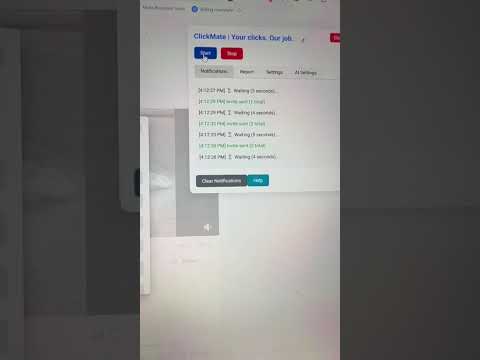
Automate Your Facebook Growth — Safe, Local & Smart Automatically invite likers, auto-like new comments, and reply smarter with AI — all directly inside your browser. No scripts, no external servers, no risks. 💡 What ClickMate Does 🚀 Bulk Invites for Likers & Commenters Invite everyone who liked or commented on a post — all at once. No more manual clicking. Works with posts, Reels, and all content types in your Business Suite inbox. 👍 Auto-Like New Comments Give your page a subtle engagement boost by automatically liking new comments. 🤖 AI-Assisted Replies (Optional) Generate natural, relevant responses to keep conversations active and authentic. 📊 Built-in Analytics Dashboard Track your growth over time with persistent statistics — all-time totals, a 7-day activity chart, and session summaries. Export your results as CSV anytime. ⚙️ Smart Scanning Options Fine-tune how ClickMate works with Quick Setup presets, SmartScan (resume where you left off), Random Start, and adjustable speed settings. 🔒 Why Teams Love ClickMate • Local & Private: runs entirely in your browser — no external servers, trackers, or data storage. • Zero Setup: install, open your Business Suite Inbox, and start inviting instantly. • 10+ Languages: works regardless of your Facebook language settings. • Light & Dark Mode: adapts to your preference. • Consistent & Reliable: automate repetitive actions quickly, safely, and accurately. ⚙️ Get Started in 3 Easy Steps 1. Install ClickMate 2. Open your Facebook Business Suite Inbox 3. Click Start to begin a bulk scan instantly Use ClickMate responsibly and within Facebook's limits. Not affiliated with Meta. Use at your own risk. 💬 Pro Tip: Use the SmartScan feature to pick up exactly where you left off — even across sessions.
2.7 out of 527 ratings
Details
- Version7.1
- UpdatedJuly 22, 2026
- FeaturesOffers in-app purchases
- Size158KiB
- Languages2 languages
- DeveloperWebsite
Email
info@linkshield.nl - Non-traderThis developer has not identified itself as a trader. For consumers in the European Union, please note that consumer rights do not apply to contracts between you and this developer.
Privacy

This developer declares that your data is
- Not being sold to third parties, outside of the approved use cases
- Not being used or transferred for purposes that are unrelated to the item's core functionality
- Not being used or transferred to determine creditworthiness or for lending purposes
Support
For help with questions, suggestions, or problems, visit the developer's support site