

ClickMate – Invite Facebook™ Post Likers + AI Replies
Overview
Invite all post likers to your Facebook page in one click. Plus auto-like comments and AI replies to comments & Messenger.
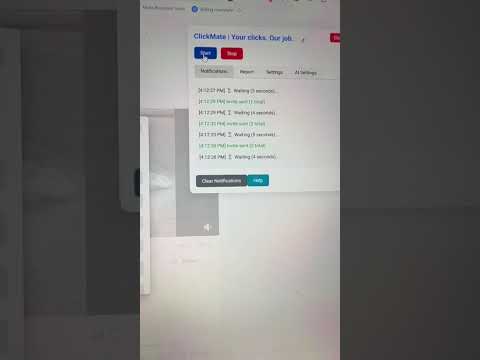
Invite ALL post likers to your Facebook page — in one click. ClickMate scans the posts in your Meta Business Suite inbox and invites everyone who reacted but doesn't follow your page yet. Add automatic comment likes and AI replies, and your page keeps growing while you do other things. ✅ Updated October 2026 — works with the current Meta Business Suite inbox. 💡 WHAT CLICKMATE DOES 🚀 Invite post likers in bulk ClickMate opens the reactions list of every post and invites everyone who isn't following your page yet — even on posts with thousands of reactions. 👍 Auto-like comments Likes every comment under your posts that you haven't liked yet, so every commenter feels seen. 🤖 AI replies to comments and Messenger (Pro) Writes and posts natural replies in your own tone of voice. Choose OpenAI (ChatGPT), Anthropic (Claude) or free Meta Llama via Groq, and steer the replies with your own prompt or a ready-made preset. 🔁 SmartScan: continue where you left off Works through your entire inbox and remembers which posts you already processed — even after closing your browser. New posts are handled first. ⏯️ Runs unattended Auto Resume starts a new round when the list is done, and a pause schedule keeps ClickMate quiet at night. 📊 Report & statistics See invites, likes and AI replies per session and export them to CSV. Pro adds all-time totals, a 7-day chart and session history. 🛡️ SAFE BY DESIGN • Works at a human pace: random pauses between actions, regular breaks and adjustable speed. • Runs entirely in your own browser with your own Facebook session. ClickMate never asks for your Facebook password. • AI replies go directly from your browser to the AI service you choose, using your own API key. 💳 FREE & PRO • Free: invite likers and like comments on 1 post per day — try it at no cost. • Pro (€2.99/month): unlimited posts, AI replies to comments and Messenger, full history and statistics. Cancel anytime. ⚙️ GET STARTED IN 3 STEPS 1. Install ClickMate and set your Facebook language to English or Dutch. 2. Open the Facebook comments in your Meta Business Suite inbox (business.facebook.com/latest/inbox). 3. Pick a Quick Setup preset and click Start. Your posts and comments can be in any language. The ClickMate interface is available in English and Dutch. ❓ QUESTIONS OR PROBLEMS? • Manual: getclickmate.com/manual • Known issues & status: getclickmate.com/storing • Email: info@getclickmate.com Facebook changes its layout regularly. When that affects ClickMate, check the status page — fixes are released as quickly as possible, and every update is free. Use ClickMate responsibly and within Facebook's limits. Facebook™ is a trademark of Meta Platforms, Inc. ClickMate is not affiliated with or endorsed by Meta.
2.6 out of 528 ratings
Details
- Version7.3
- UpdatedOctober 15, 2026
- FeaturesOffers in-app purchases
- Size175KiB
- Languages2 languages
- DeveloperWebsite
Email
info@linkshield.nl - Non-traderThis developer has not identified itself as a trader. For consumers in the European Union, please note that consumer rights do not apply to contracts between you and this developer.
Privacy

This developer declares that your data is
- Not being sold to third parties, outside of the approved use cases
- Not being used or transferred for purposes that are unrelated to the item's core functionality
- Not being used or transferred to determine creditworthiness or for lending purposes
Support
For help with questions, suggestions, or problems, visit the developer's support site