

Click Censor
2 lượt xếp hạng
)
Tổng quan
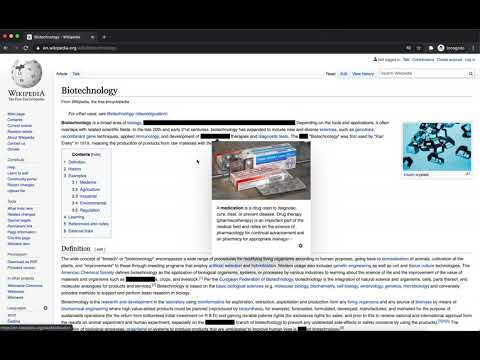
Censor a selected text on the whole page with a right click
Censor text throughout the page with a click of a mouse. Temporarily hide / censor all instances of a word or a sentence: 1. Select the text. 2. Right click. 3. Select "Hide Selected Text". To unhide / uncensor the text again: 1. Right click on the hidden text. 2. Select "Unhide Selected Text". Features: - Hide / unhide selected text with an option in the context menu (right-click menu). - Hides all instances of the selected text on the whole page. - Censored text cannot be revealed accidentally by selecting or copying. - Hide what you need when you need it - no need to set a list of censored words in the settings. Useful for: - Studying and Learning - Hide the answer to test your knowledge. Reveal once you've answered the question. Learn directly from the source, no need to copy-paste. - Screenshots / Screen capture / Screen recording - Hide sensitive information quickly.
3/52 lượt xếp hạng
Chi tiết
- Phiên bản1.0.1
- Đã cập nhật9 tháng 10, 2020
- Nhà cung cấpJuro Oravec
- Kích thước19.71KiB
- Ngôn ngữEnglish
- Nhà phát triểnJuro Oravec
Flat 26 Shelley Court London N4 3DN United KingdomEmail
juraj.oravec.josefson@gmail.com - Người bán phi thương mạiNhà phát triển này không tự nhận mình là người bán. Đối với người tiêu dùng ở Liên minh Châu Âu, xin lưu ý rằng các quyền của người tiêu dùng không được áp dụng trong hợp đồng giữa bạn và nhà phát triển này.
Quyền riêng tư
Hỗ trợ
Nếu bạn có câu hỏi, ý kiến đề xuất hoặc gặp vấn đề, hãy truy cập trang web hỗ trợ của nhà phát triển để được trợ giúp