


Overview
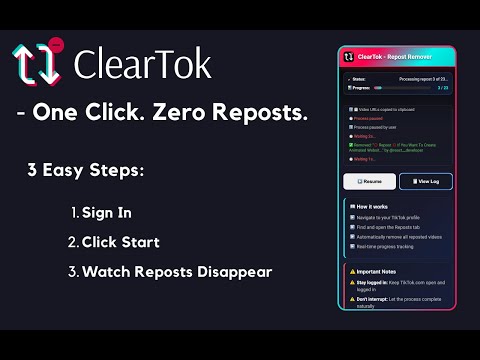
Bulk-remove reposted videos from your profile, with live progress and pause controls.
ClearTok is an independent Chrome extension that helps you remove reposts from your profile in bulk. Track the number of reposts removed in the side panel as the cleanup runs. You can pause and resume as needed and export a CSV of removed reposts. HOW TO USE 1. Open tiktok.com in Chrome and sign in to the account you want to clean up. 2. Open the ClearTok side panel and start removing reposts. 3. Keep the profile tab open while the cleanup runs. SUPPORT Questions or feedback? Email support@cleartok.io or visit https://cleartok.io/. ClearTok is an independent Chrome extension and is not affiliated with, endorsed by, or sponsored by TikTok or ByteDance Ltd.
4.9 out of 53.7K ratings
Details
- Version1.8.14
- UpdatedNovember 17, 2026
- Size215KiB
- Languages17 languages
- Developer
- Non-traderThis developer has not identified itself as a trader. For consumers in the European Union, please note that consumer rights do not apply to contracts between you and this developer.
Privacy

This developer declares that your data is
- Not being sold to third parties, outside of the approved use cases
- Not being used or transferred for purposes that are unrelated to the item's core functionality
- Not being used or transferred to determine creditworthiness or for lending purposes
Support
For help with questions, suggestions, or problems, visit the developer's support site