

ClearRead Zoom — Focus Reading Ruler, Bionic Aid & 10x Optical Loupe

Overview
24h free full trial. Apple-grade Bionic Reading, Spotlight Reading Ruler & up to 10x hyper-optical lossless vector magnifier.
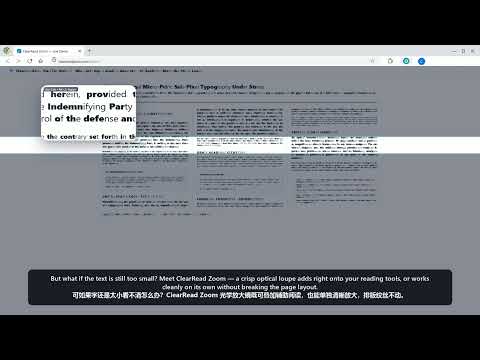
ClearRead Zoom (clearreadzoom) turns any cluttered or tiny webpage into a razor-sharp, distraction-free reading workspace. Built for researchers, developers, designers, students, and ADHD/low-vision readers who want to clear read complex pages without pixelation or eye fatigue. Unlike standard browser zoom that breaks page layouts or blurs fine details, ClearRead Zoom combines four precision reading tools inside one lightweight Chrome extension: 🔍 10X PURE DOM VECTOR MAGNIFIER (ZERO BLUR) • True DOM-level vector magnification keeps text, SVGs, charts, and micro-details crystal clear up to 10x. • Pin the lens anywhere on the page, drag it freely, resize the frame to any dimension, and scroll directly inside the lens to adjust zoom on the fly. 🔦 SPOTLIGHT READING RULER • Dim surrounding clutter and highlight the exact line or paragraph you are reading. • Ideal for long technical docs, academic papers, financial tables, and reducing visual tracking fatigue. ⚡ BILINGUAL BIONIC READING (ENGLISH & CHINESE / 中英双语仿生阅读) • Intelligently guides your eyes across key word anchors in both English and Chinese webpages. • Read faster with deeper focus and fewer re-reads—especially helpful for dense articles and ADHD focus support. 🎛️ EFFORTLESS CONTROLS & FAIR PRICING • Instant keyboard shortcuts and sleek on-page controls—toggle any mode in a single click. • 100% local rendering in your browser. Zero tracking, zero ad injection. • Try every feature free for 24 hours with zero credit card required. • Own it forever with a one-time payment (Standard $9.90 / Ultra $19.90 — no recurring subscriptions), or invite friends to unlock Ultra for free. Official website & license management: https://clearreadzoom.com/ Search tip: Find us anytime on the Chrome Web Store via "ClearRead Zoom" or "clearreadzoom".
5 out of 52 ratings
Details
- Version1.0.0
- UpdatedNovember 23, 2026
- Size56.32KiB
- Languages8 languages
- DeveloperWebsite
Email
support@clearreadzoom.com - Non-traderThis developer has not identified itself as a trader. For consumers in the European Union, please note that consumer rights do not apply to contracts between you and this developer.
Privacy

This developer declares that your data is
- Not being sold to third parties, outside of the approved use cases
- Not being used or transferred for purposes that are unrelated to the item's core functionality
- Not being used or transferred to determine creditworthiness or for lending purposes
Support
For help with questions, suggestions, or problems, visit the developer's support site