

Clear Site Data: Cookies & Data Cleaner
1 rating
)
Overview
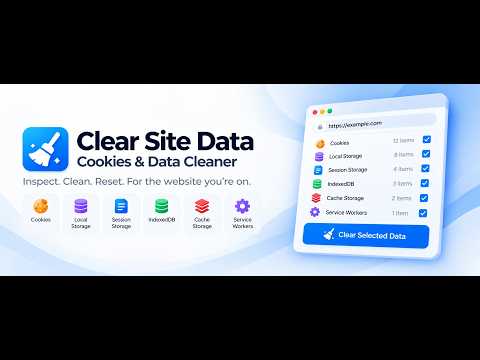
Clear cookies, local storage, and cache for the current website. Inspect counts, then delete only what you select.
Clear Site Data is a powerful Chrome extension for quickly clearing cookies, cache, local storage, session storage, IndexedDB, Cache Storage, service workers, and other browser data for the website currently open in your tab. Use it to fix website loading issues, reset logins, remove saved site preferences, clear broken app data, or start a website with a clean session—without affecting data from other websites. You can inspect cookies and storage before removing them, clear individual categories, protect important local-storage keys, or choose Clear everything & reset to fully wipe supported site data and reload the page fresh. Built for privacy, troubleshooting, and developers: no accounts, no analytics, no remote code, and no data leaves your device.Clear Site Data is a powerful Chrome extension for quickly clearing cookies, cache, local storage, session storage, IndexedDB, Cache Storage, service workers, and other browser data for the website currently open in your tab. Use it to fix website loading issues, reset logins, remove saved site preferences, clear broken app data, or start a website with a clean session—without affecting data from other websites. You can inspect cookies and storage before removing them, clear individual categories, protect important local-storage keys, or choose Clear everything & reset to fully wipe supported site data and reload the page fresh. Built for privacy, troubleshooting, and developers: no accounts, no analytics, no remote code, and no data leaves your device.
5 out of 51 rating
Details
- Version1.1.0
- UpdatedOctober 2, 2026
- Offered bywizcodes12
- Size5.34MiB
- LanguagesEnglish
- DeveloperPATEL DIVYA BAIJUKUMAR
A-21 kangana society vishalnagar opp parasprabhu soc isanpur ahmedabad, Gujarat 382443 INEmail
wizcodes12@gmail.comPhone
+91 78620 36533 - TraderThis developer has identified itself as a trader per the definition from the European Union and committed to only offer products or services that comply with EU laws.
Privacy

This developer declares that your data is
- Not being sold to third parties, outside of the approved use cases
- Not being used or transferred for purposes that are unrelated to the item's core functionality
- Not being used or transferred to determine creditworthiness or for lending purposes
Support
For help with questions, suggestions, or problems, please open this page on your desktop browser