

CleanTab - Minimal Fast New Tab Page
2 ratings
)
Overview
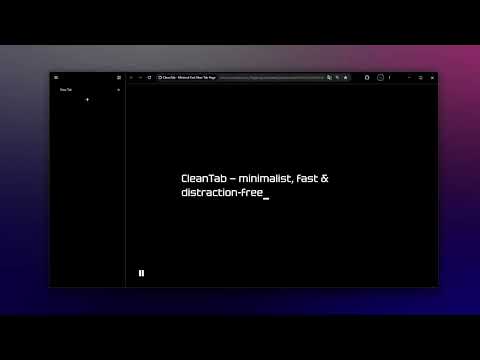
Fast, minimal new tab with bookmarks, smart search aliases, instant AI routing, search history, custom themes and shortcuts.
CleanTab is a minimal, ultra-fast, open-source new tab page for Chromium-based browsers. Designed for keyboard-first navigation, instant bookmark access, and a clean workspace with zero visual noise. KEY FEATURES: • Smart Search: A borderless, distraction-free input bar with multi-line support and intelligent ghost-text autocompletion based on your local input history. Seamlessly integrates with your browser's default search engine via the official Chrome Search API. • Quick AI Assistant Routing: Send prompts to your favorite AI conversational assistants directly from the search bar. Use custom prefixes with single-key Tab autocompletion to deep-link straight into your chat session without telemetry. • Quick Search Aliases: Assign custom short keywords for instant navigation to any URL or web service (for example, quick triggers for work portals, documentation, or local development environments). • Smooth Alias Transition Styles: 5 flat, zero-shadow transition styles (Shimmer, Spinner, Line, Pulse, or None) with zero navigation delay and an interactive preview in Settings. • Full macOS & Cross-Platform Adaptation: Automatic platform detection seamlessly formats hotkeys and interface hints: displays Cmd (⌘) and Opt (⌥) on macOS with native metaKey support, and Ctrl / Alt on Windows and Linux. • Bookmarks Drawer: A slide-out bookmarks tree with real-time search, folder pinning, selectable placement (left or right side of the screen), and an optional frosted glass effect. • Typography & Customization: Choose from 10 carefully selected high-legibility typefaces, with flexible background and text color customization via dynamic CSS palettes. • Curated Themes Gallery & Custom Wallpapers: Built-in gallery of aesthetic presets with interactive demos, plus support for custom background images with adjustable blur effects. • Custom Cursor Styles: Choose from 4 distinct caret shapes: Underline, Vertical Bar, Block, or Highlight. • Backup & Portability: One-click export and import of all your settings, themes, aliases, and shortcuts in a single JSON file. • 11 Interface Languages: Full interface localization in English, Russian, Uzbek, Spanish, Portuguese, German, Chinese, Japanese, Korean, Arabic, and Hindi. • 100% Private & Local: Zero telemetry, zero analytics, and zero third-party tracking scripts. All data and history remain strictly on your local device. DEFAULT KEYBOARD SHORTCUTS: - Ctrl+B / Alt+B (Mac: Cmd+B / Opt+B): Toggle bookmarks drawer - Ctrl+, (Mac: Cmd+,): Open Settings - Tab: Accept autocompletion suggestion - Esc: Close drawer or settings modal - F11 / Double-click background: Fullscreen mode - Q / E: Switch tabs in Settings Open-source repository & documentation: https://github.com/happy2111/CleanTab
5 out of 52 ratings
Details
- Version1.0.2
- UpdatedOctober 28, 2026
- Offered bymuhammadyusufa2111@gmail.com
- Size6.61MiB
- LanguagesEnglish
- Developer
Email
muhammadyusufa2111@gmail.com - Non-traderThis developer has not identified itself as a trader. For consumers in the European Union, please note that consumer rights do not apply to contracts between you and this developer.
Privacy

This developer declares that your data is
- Not being sold to third parties, outside of the approved use cases
- Not being used or transferred for purposes that are unrelated to the item's core functionality
- Not being used or transferred to determine creditworthiness or for lending purposes
Support
For help with questions, suggestions, or problems, visit the developer's support site