Item logo image for CleanPage PDF - OASİS DİJİTAL

CleanPage PDF - OASİS DİJİTAL

Item media 6 (screenshot) for CleanPage PDF - OASİS DİJİTAL
Item video thumbnail
Item media 2 (screenshot) for CleanPage PDF - OASİS DİJİTAL
Item media 3 (screenshot) for CleanPage PDF - OASİS DİJİTAL
Item media 4 (screenshot) for CleanPage PDF - OASİS DİJİTAL
Item media 5 (screenshot) for CleanPage PDF - OASİS DİJİTAL
Item media 6 (screenshot) for CleanPage PDF - OASİS DİJİTAL
Item video thumbnail
Item media 2 (screenshot) for CleanPage PDF - OASİS DİJİTAL
Item media 3 (screenshot) for CleanPage PDF - OASİS DİJİTAL
Item media 4 (screenshot) for CleanPage PDF - OASİS DİJİTAL
Item media 5 (screenshot) for CleanPage PDF - OASİS DİJİTAL
Item media 6 (screenshot) for CleanPage PDF - OASİS DİJİTAL

Overview

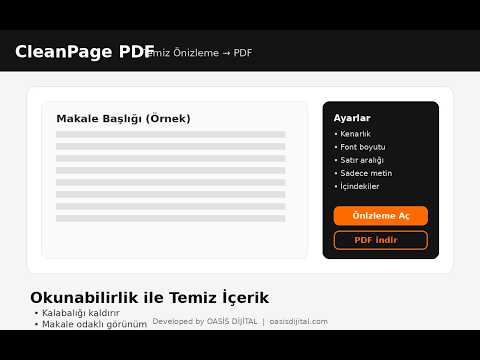
Okunabilirlik (readability) motoru ile web sayfalarını temiz önizleme + ayarlarla PDF'e dönüştürür. (activeTab uyumlu)

https://youtu.be/uzVt8MWUE84

Details

  • Version
    0.2.1
  • Updated
    February 18, 2026
  • Size
    15.05KiB
  • Languages
    Türkçe
  • Developer
    Website
    Email
    kadirhuz1@gmail.com
  • Non-trader
    This developer has not identified itself as a trader. For consumers in the European Union, please note that consumer rights do not apply to contracts between you and this developer.

Privacy

Manage extensions and learn how they're being used in your organization
The developer has disclosed that it will not collect or use your data. To learn more, see the developer’s privacy policy.

This developer declares that your data is

  • Not being sold to third parties, outside of the approved use cases
  • Not being used or transferred for purposes that are unrelated to the item's core functionality
  • Not being used or transferred to determine creditworthiness or for lending purposes

Support

Related

PrintFriendly - Print, PDF, and Screenshot Web Pages

4.6

Make web pages printer-friendly, convert to PDFs, or capture screenshots. Remove ads for clean pages ready to print or save as PDFs.

Web to PDF

4.8

Use Web to PDF converter to save a web page as a pdf and download it instantly. Perfect for offline reading and sharing.

Webpage to PDF by cloudHQ

5.0

Convert web pages and web articles to PDF documents.

HTML to PDF File Converter

3.9

Try the HTML to PDF File Converter to save a page as pdf in just a few clicks. You can quickly convert html file to pdf format

Scrolling Screenshot & Full Page Capture

4.2

Capture long websites. Upload PDF's. 20+ annotation tools. Crop, export, share links. 5+ screenshot modes. Edit forever.

HTML File to PDF

3.9

Use HTML file to PDF: convert HTML to PDF in one click. Save webpage as PDF easily, preserving layout for offline access.

Chrome Reader Mode

4.9

Try Chrome Reader Mode – the easiest-to-use website reader. Enjoy comfortable reading with our eco-friendly reader mode.

Convert webpage to PDF

4.8

Let Convert webpage to PDF simplify your workflow! Our tool converts webpages, saves them as PDFs, and keeps their original look.

Quick PDF Saver

5.0

Save web pages as PDF with one click. Download full page to PDF instantly. Convert and print complete webpages - fast & easy!

PageSaver - Webpage to PDF or Image

4.7

Webpage to image and PDF with full page support and reader mode.

Save Website as PDF

4.8

Easily save website as PDF. Convert pages to PDF. Get clean, readable, and editable documents — link-friendly and ready to print.

TLDR - Summarize webpages, YouTube videos and PDFs instantly

4.7

Summarize webpages, YouTube videos and PDFs instantly

PrintFriendly - Print, PDF, and Screenshot Web Pages

4.6

Make web pages printer-friendly, convert to PDFs, or capture screenshots. Remove ads for clean pages ready to print or save as PDFs.

Web to PDF

4.8

Use Web to PDF converter to save a web page as a pdf and download it instantly. Perfect for offline reading and sharing.

Webpage to PDF by cloudHQ

5.0

Convert web pages and web articles to PDF documents.

HTML to PDF File Converter

3.9

Try the HTML to PDF File Converter to save a page as pdf in just a few clicks. You can quickly convert html file to pdf format

Scrolling Screenshot & Full Page Capture

4.2

Capture long websites. Upload PDF's. 20+ annotation tools. Crop, export, share links. 5+ screenshot modes. Edit forever.

HTML File to PDF

3.9

Use HTML file to PDF: convert HTML to PDF in one click. Save webpage as PDF easily, preserving layout for offline access.

Chrome Reader Mode

4.9

Try Chrome Reader Mode – the easiest-to-use website reader. Enjoy comfortable reading with our eco-friendly reader mode.

Convert webpage to PDF

4.8

Let Convert webpage to PDF simplify your workflow! Our tool converts webpages, saves them as PDFs, and keeps their original look.

Google apps