


Overview
Record click-by-click browser actions and export step-by-step SOPs as markdown with screenshots.
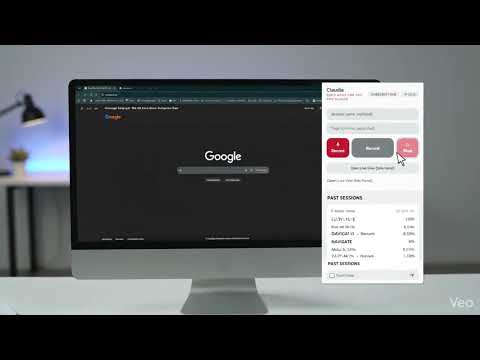
Stop writing documentation. Just do the work once. Claudia turns anything you do in your browser into a clean, step-by-step guide. Click Record, walk through the process the way you always do, and Claudia writes it up as you go: every click, page and form entry becomes a numbered step with a screenshot and a plain-English description. Five minutes of doing replaces an afternoon of writing. HOW IT WORKS 1. Click Record and do the task as usual. 2. Watch the steps appear live in the side panel, each with its screenshot. 3. Tidy up as you go: rename, reorder or delete any step. 4. Export a ready-to-share guide as Markdown with screenshots (.zip), Markdown only, or PDF. BUILT FOR • Onboarding: hand new hires the exact clicks, not a vague wiki page • SOPs: document a process once and keep everyone doing it the same way • Handoffs: going on leave or changing roles? Leave a guide behind • Bug reports: give developers precise reproduction steps, with screenshots • AI assistants: export a SKILL.md that Claude Code, ChatGPT and other assistants can follow WHAT YOU GET • Click-by-click recording with automatic screenshots • Step descriptions written for you ("Click the Submit button") • Live side panel to see and edit steps while you record • Name, tag and organize every recording • Optional redaction of typed values on export • Keyboard shortcut: Ctrl+Shift+R (Cmd+Shift+R on Mac) PRIVATE BY DESIGN • Your recordings, screenshots and step content stay in your browser. They are never uploaded to us or anyone else. • Recorded data is encrypted on your device and auto-deleted on the schedule you choose (30 days to 1 year, or never). • Passwords, card numbers and API keys are detected and redacted before anything is saved. • Turn off screenshots on checkout and payment pages with one switch. • The only things sent to our server are what's needed to run your trial or license: an install ID and, for paid plans, your license key. See claudiasop.com/privacy.html for the details. TRY IT FREE Start with a free 1-day trial, no card required. Then choose Monthly ($4.99), Yearly ($49.99) or Lifetime ($99.99). Record it once. Share it forever.
5 out of 51 rating
Details
- Version1.0.4
- UpdatedNovember 12, 2026
- FeaturesOffers in-app purchases
- Size680KiB
- LanguagesEnglish
- DeveloperQuangsangho NguyenWebsite
2007 Graham Avenue Pryor, OK 74361 USEmail
vwapster@gmail.comPhone
+1 918-864-0015 - TraderThis developer has identified itself as a trader per the definition from the European Union and committed to only offer products or services that comply with EU laws.
Privacy

Claudia has disclosed the following information regarding the collection and usage of your data. More detailed information can be found in the developer's privacy policy.
Claudia handles the following:
This developer declares that your data is
- Not being sold to third parties, outside of the approved use cases
- Not being used or transferred for purposes that are unrelated to the item's core functionality
- Not being used or transferred to determine creditworthiness or for lending purposes
Support
For help with questions, suggestions, or problems, please open this page on your desktop browser