

Claude Token Tracker
14 ratings
)
Overview
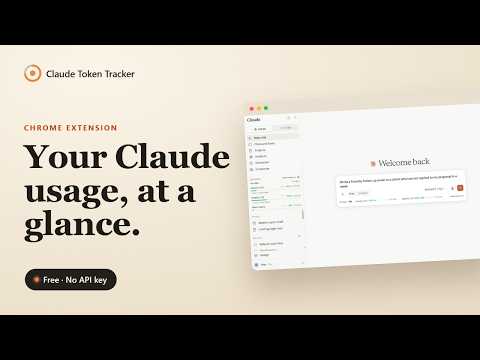
Live Claude.ai quota + live prompt token counter in your sidebar. Session, Weekly and per-model limits. No API key, no signup.
Know exactly where you stand before you hit your Claude.ai limit. Claude Token Tracker adds a live usage widget directly inside claude.ai. No switching tabs, no guessing. Free, no signup, and no data ever leaves your browser. At a glance you see your Session (5h) and Weekly (7d) quota, per-model weekly limits (Sonnet, Opus, Fable and more), burn rate, and time until reset. And as you type, a live token counter shows how big your prompt is before you send it. Key features: ✓ Live sidebar widget: percentage, progress bar, and reset timer per quota window ✓ Bottom bar inside the chat input: always-on status without leaving the conversation ✓ Live prompt token counter: see your message's token size as you type, before you send ✓ Per-model weekly limits: Session, Weekly, and model-specific caps (Sonnet, Opus, Fable) appear automatically ✓ Rich hover tooltips: burn rate, token estimates, 7-day usage chart, and projection ✓ Plan-aware token estimates: select Pro, Max 5x or Max 20x to see tokens remaining ✓ Per-conversation counter: estimated context length, msgs remaining, and cache status next to the chat title ✓ Desktop notifications: alerts when you cross 90% and when a window resets ✓ VS Code companion: quota visible in your editor status bar (install Claude Token Tracker for VS Code) ✓ Works via claude.ai's own APIs: reads the same data Claude uses internally Who is this for: Max plan users who hit limits mid-session and want to pace their usage across the day Developers who work in VS Code and claude.ai at the same time and want quota in both places Anyone tired of hitting a limit without warning and losing their train of thought No API key required. No account needed. No data leaves your browser. Supports Claude Pro, Max 5x and Max 20x plans.
4.4 out of 514 ratings
Details
- Version1.3.17
- UpdatedSeptember 27, 2026
- Offered byFrederiek Pascal
- Size1.14MiB
- LanguagesEnglish
- Developer
Email
claude-token@clickforest.com - Non-traderThis developer has not identified itself as a trader. For consumers in the European Union, please note that consumer rights do not apply to contracts between you and this developer.
Privacy

This developer declares that your data is
- Not being sold to third parties, outside of the approved use cases
- Not being used or transferred for purposes that are unrelated to the item's core functionality
- Not being used or transferred to determine creditworthiness or for lending purposes
Support
For help with questions, suggestions, or problems, please open this page on your desktop browser