

Claude to PDF, Word and Google Docs

Overview
Convert the Claude content into a PDF, Word or Google Docs format in a single click.
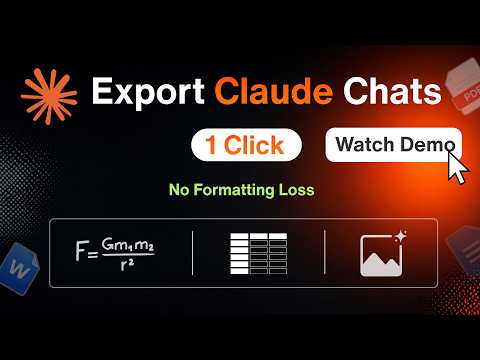
Save your Claude conversations as Word, PDF or Google Docs files in a single click. Claude to PDF, Word and Google Docs is a Chrome extension that turns any chat into a clean, well-formatted document, making your AI-generated content effortless to access, share and reference. Need Claude to Word for a report, Claude to PDF for easy sharing, or Claude to Google Docs for collaboration? Every format is one click away. Formatting is fully preserved, so everything looks exactly as it did in the chat: • Tables • Math equations • Inline code and code blocks • Images • Charts, graphs and diagrams • Other rich text elements Key features: • Export a single response, the complete conversation, or just selected messages as a Word, PDF or Google Doc. • Export only Claude's responses from an entire conversation, excluding your prompts. • Export Claude Artifacts to PDF, Word or Google Docs, including code files, documents, charts, diagrams, and interactive or structured outputs, without losing formatting. • Charts and graphs are exported as crisp, sharp images. • One-click conversion to your preferred format. • Choose which export buttons appear in your toolbar. • Available in 9 languages: English, Español, Português, Français, Deutsch, 日本語, 中文, हिन्दी and العربية. Ideal for research, study notes, reports, content creation, brainstorming and archiving. Whether you need a Claude to Word or PDF converter, or a way to export to Google Docs without losing formatting, this extension makes it effortless. It also supports Claude Markdown to Word conversion and brings AI-generated equations and diagrams into Word or PDF intact.
4.1 out of 523 ratings
Details
- Version1.12.2
- UpdatedOctober 14, 2026
- Size530KiB
- Languages7 languages
- DeveloperThinksolv technologies (OPC) private limitedWebsite
3, SF.No.333, Kumaraguru Collegeof Technology Campus, Athipalayam Road Chinnavedampatty Coimbatore, Tamil Nadu 641049 INEmail
vikram@thinksolv.comPhone
+91 80155 00500 - TraderThis developer has identified itself as a trader per the definition from the European Union and committed to only offer products or services that comply with EU laws.
Privacy

Claude to PDF, Word and Google Docs has disclosed the following information regarding the collection and usage of your data. More detailed information can be found in the developer's privacy policy.
Claude to PDF, Word and Google Docs handles the following:
This developer declares that your data is
- Not being sold to third parties, outside of the approved use cases
- Not being used or transferred for purposes that are unrelated to the item's core functionality
- Not being used or transferred to determine creditworthiness or for lending purposes
Support
For help with questions, suggestions, or problems, please open this page on your desktop browser