


Overview
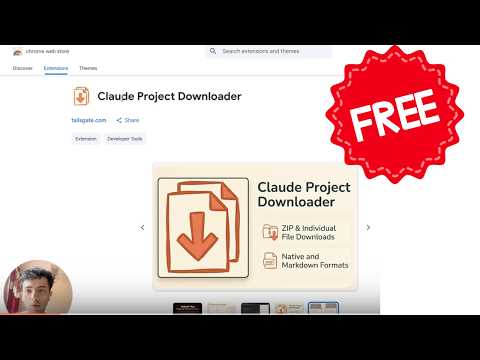
One-click export of your Claude project files AND chats — download individually, as ZIP, or the entire project at once.
Export your Claude.ai project — files AND chats — instantly. No manual copy-pasting required. ★ KEY FEATURES - One-click file export — Download all files from any Claude project with a single click - Chat export (NEW) — Save any single conversation, or every chat in the project, as a ZIP (Markdown or JSON) - Entire-project export (NEW) — Bundle all files and all chats into one ZIP with one click - ZIP archive — Everything in one neat ZIP for easy backup or migration - Individual downloads — Grab just the files or chats you need, one at a time - Flexible formats — Keep original file extensions or convert everything to Markdown (.md) - PDF & image support — Downloads binary files like PDFs and images directly - Smart fallback — If a file can't be exported, the extension generates a ready-to-paste prompt that asks Claude to give you the file in chat ⚙ HOW IT WORKS 1. Navigate to your Claude.ai project page 2. Click the extension icon in your toolbar 3. Hit "Refresh" to load your project's files and chats 4. Choose your format and download individually, as a ZIP, or grab the entire project at once ☀ PERFECT FOR - Backing up your Claude project files and conversations before hitting usage limits - Archiving an entire project (files + chats) as a single snapshot - Migrating project knowledge to a new account or AI tool - Keeping offline copies of important project documents and chats - Version-controlling project snapshots over time ⚡ FREE TO TRY - 3 free single downloads every day (files or chats) - 1 free full export to try the whole-project download for yourself - Pro unlocks unlimited single downloads and unlimited full exports — a one-time payment, no subscription 🔒 PRIVACY & SECURITY - No data leaves your browser — all processing happens locally - No analytics, no tracking, no external servers - Uses your existing Claude session — no extra login required - Open source and fully transparent ✅ WHAT'S SUPPORTED ✅ Text files (Markdown, HTML, plain text) ✅ Project chats (exported as Markdown or JSON) ✅ PDF documents ✅ Images (downloaded as WebP — Claude's preview format) ✅ Word documents (exported as extracted text) ❌ Spreadsheets (xlsx/csv) — Claude doesn't expose a download endpoint, but the built-in fallback prompt works around this Built with ♥ by Tailsgate — tailsgate.com
4.8 out of 59 ratings
Details
- Version1.6.1
- UpdatedJuly 5, 2026
- Size93.17KiB
- LanguagesEnglish
- DeveloperWebsite
Email
aarohan789@gmail.com - Non-traderThis developer has not identified itself as a trader. For consumers in the European Union, please note that consumer rights do not apply to contracts between you and this developer.
Privacy

Claude Project Downloader has disclosed the following information regarding the collection and usage of your data. More detailed information can be found in the developer's privacy policy.
Claude Project Downloader handles the following:
This developer declares that your data is
- Not being sold to third parties, outside of the approved use cases
- Not being used or transferred for purposes that are unrelated to the item's core functionality
- Not being used or transferred to determine creditworthiness or for lending purposes
Support
For help with questions, suggestions, or problems, visit the developer's support site