


Overview
Productivity tools for Claude.ai, including message navigation, bookmarks, annotations, and more.
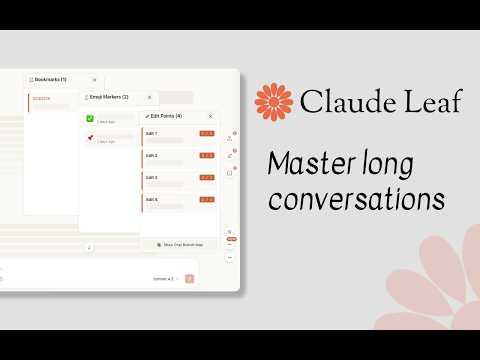
Claude Leaf brings structure to long Claude.ai conversations. It adds lightweight productivity tools directly inside your chats, helping you move through messages, mark important content, revisit edits, and keep useful context within reach. CORE FEATURES • Message Navigation: move between messages with floating controls, keyboard shortcuts, and a live position counter • Bookmarks: save important messages, organize them, and jump back to the exact conversation point • Emoji Markers: add visual tags so key answers are easy to spot in long threads • Edit History: inspect prompt versions, timestamps, and conversation branches after edits • Usage Tracker: see subtle session and weekly usage indicators around the composer OPTIONAL TOOLS • Annotations: highlight selected text in Claude or user messages, add local notes and color tags, then return to the exact passage • Scheduled Messages: schedule a prepared message to send later from the composer, with controls to cancel, reschedule, or send immediately PRIVACY AND CONTROL Bookmarks, markers, annotations, schedules, and settings are stored locally in your browser. Each module can be enabled or disabled independently, and Export / Import tools let you back up or transfer your Claude Leaf data manually. LANGUAGES The interface supports English, German, Spanish, French, Hindi, Indonesian, Italian, Japanese, Korean, Brazilian Portuguese, and Turkish. Designed for researchers, developers, writers, students, and anyone who works with long or evolving Claude conversations. Claude Leaf is an independent extension and is not affiliated with Anthropic.
0 out of 5No ratings
Details
- Version1.4.0
- UpdatedSeptember 1, 2026
- Size647KiB
- Languages12 languages
- DeveloperWebsite
Email
kadirkatirci@tedaitesnim.com - Non-traderThis developer has not identified itself as a trader. For consumers in the European Union, please note that consumer rights do not apply to contracts between you and this developer.
Privacy

Claude Leaf has disclosed the following information regarding the collection and usage of your data. More detailed information can be found in the developer's privacy policy.
Claude Leaf handles the following:
This developer declares that your data is
- Not being sold to third parties, outside of the approved use cases
- Not being used or transferred for purposes that are unrelated to the item's core functionality
- Not being used or transferred to determine creditworthiness or for lending purposes
Support
For help with questions, suggestions, or problems, please open this page on your desktop browser