


Overview
Clean a Microsoft Outlook mailbox by sender — soft-delete mail and create server-side block rules.
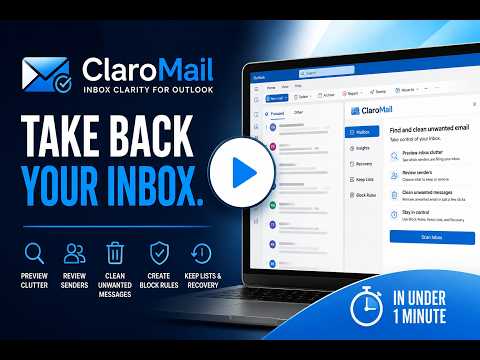
ClaroMail brings clarity to your Microsoft Outlook inbox. Scan your mailbox by sender, identify who you've never emailed back, and clean house in seconds — delete mail, create server-side block rules, and recover anything you need. All without leaving your browser. Works on Chrome, Brave, Edge, Vivaldi, and Opera (install from the Chrome Web Store; on Opera, Claro opens in a tab). YOUR INBOX. YOUR RULES. Most people have hundreds of emails from senders they've never responded to — newsletters they forgot they signed up for, job boards, marketing blasts, and one-off notifications that keep coming. ClaroMail finds them all and lets you act on them in bulk. HOW IT WORKS 1. Connect — Sign into your Microsoft account securely via OAuth. ClaroMail never stores your password. 2. Scan — Read any folder and compare senders against your Sent Items. Every sender is labeled: Never emailed, You've emailed, or Already blocked. Nothing is deleted until you say so. 3. Review & clean — Pick the senders you want gone. Delete their mail, block them at the server level, or do both in one click. Bulk select makes it fast. Single address mode keeps it safe. 4. Recover — Changed your mind? ClaroMail can find deleted items matching your block rules and restore them to your inbox. Full control, always. FEATURES - Scan any folder — Inbox, Junk, or any custom folder - Sender analysis — Never emailed vs You've emailed vs Already blocked - Bulk delete — Remove all mail from a sender in one action - Server-side block rules — Blocks that stick, not just local filters - Delete + block — Clean and prevent in a single click - Recovery — Find and restore deleted items by rule - Block rules manager — Search, remove, or wipe address and domain blocks - Domain shape control — Single address for quick cleanups, multiple addresses for careful domain reviews - Scan limit control — Choose how many messages to analyze per scan - Nothing sends automatically — You review everything before any action is taken PRIVACY ClaroMail connects to your Microsoft account using OAuth — your credentials are never stored by the extension. All actions are performed directly against your mailbox via Microsoft's Graph API. No mail content is read, stored, or transmitted outside your browser session. REQUIREMENTS - Microsoft 365 or Outlook.com account - Azure app registration with your own Client ID (setup instructions included) - Chrome or any Chromium-based browser ABOUT ClaroMail is a product of Grovik LLC. Built for people who want a clean inbox without the guesswork. claromail.app
5 out of 51 rating
Details
- Version0.5.34
- UpdatedOctober 13, 2026
- FeaturesOffers in-app purchases
- Size272KiB
- LanguagesEnglish (United States)
- DeveloperGrovik LLCWebsite
8401 Mayland Dr Richmond, VA 23294-4648 USEmail
developer.grovik@gmail.comPhone
+1 415-678-1770 - TraderThis developer has identified itself as a trader per the definition from the European Union and committed to only offer products or services that comply with EU laws.
- D-U-N-S149877212
Privacy

ClaroMail for Outlook has disclosed the following information regarding the collection and usage of your data. More detailed information can be found in the developer's privacy policy.
ClaroMail for Outlook handles the following:
This developer declares that your data is
- Not being sold to third parties, outside of the approved use cases
- Not being used or transferred for purposes that are unrelated to the item's core functionality
- Not being used or transferred to determine creditworthiness or for lending purposes
Support
For help with questions, suggestions, or problems, visit the developer's support site