

Clarishot: Capture ChatGPT, Claude, Gemini Chats as pixel-perfect PNG/PDF

Overview
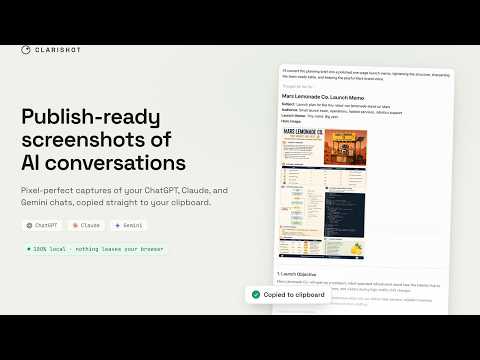
Pixel-perfect screenshots and PDFs of ChatGPT, Claude, and Gemini conversations. Composed locally, never uploaded.
Clarishot turns your ChatGPT, Claude, and Gemini conversations into publish-ready screenshots and PDFs. A camera button appears beside Copy on every message. Click it, and a pixel-perfect capture lands on your clipboard, ready to paste anywhere. Capture exactly what you need: - One message, even one that's ten screens tall. - A prompt + response pair with a single Option/Alt-click. - A hand-picked set or a range. Skipped stretches are labeled ("N messages omitted"), never hidden. - The entire conversation from the toolbar: every message, in order, even ones scrolled far out of view. Long chats save as one clean multi-page PDF, and the button tells you up front whether you'll get a PNG or a PDF. Built for the hard parts of AI chat interfaces: wide code blocks, tables, canvases, and math render pixel-perfect, with real fonts, real syntax highlighting, exactly as the platform drew them. Clarishot is not an exporter that rebuilds your chat in its own template, and not a full-page screenshotter that makes you crop. It captures what was actually rendered. Private by design: - Runs entirely in your browser. No servers, no account, no analytics, no conversation uploads. - Captures happen only when you click a Clarishot control. - About the install warning: Chrome's screenshot API (captureVisibleTab) requires broad host access. That is the sole reason for the permission. Clarishot's code only runs on chatgpt.com, claude.ai, and gemini.google.com. Free. No account, no quota. Privacy policy: https://clarishot.ai/privacy · Changelog: https://clarishot.ai/changelog · Support: support@clarishot.ai
5 out of 56 ratings
Details
- Version0.9.10
- UpdatedSeptember 7, 2026
- Size1.41MiB
- LanguagesEnglish
- DeveloperWebsite
Email
support@clarishot.ai - Non-traderThis developer has not identified itself as a trader. For consumers in the European Union, please note that consumer rights do not apply to contracts between you and this developer.
Privacy

This developer declares that your data is
- Not being sold to third parties, outside of the approved use cases
- Not being used or transferred for purposes that are unrelated to the item's core functionality
- Not being used or transferred to determine creditworthiness or for lending purposes
Support
For help with questions, suggestions, or problems, visit the developer's support site