

Keepgram – Telegram Video Downloader | Restricted, Private & Batch

Overview
Download restricted & private Telegram videos, photos, files & music from Telegram Web. Free, unlimited batch downloads. No login.
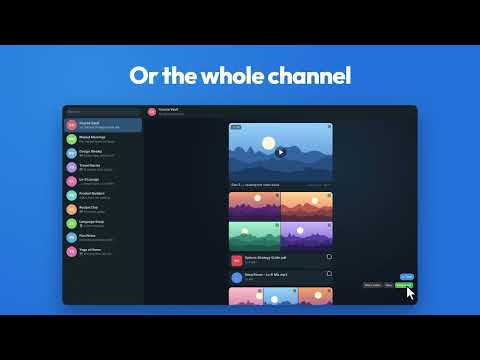
Keepgram adds download buttons to Telegram Web so you can save the photos, videos, files, music and voice messages you can already see, including in channels and groups where saving is turned off. HOW IT WORKS • Open web.telegram.org/k and any chat or channel you're a member of. • Hover a photo, video, file or song and click the download button. • In the full-screen viewer or a story, click Download at the top. • For many files at once, click Select (bottom-right), tick what you want, then Download. FEATURES • Photos, videos, GIFs, round videos, files (PDF, ZIP and more), music and voice messages • Works in channels and groups with "Restrict saving content" turned on • Batch download from chats and from the Shared Media panel • Live percentage for every file, plus overall batch progress • Keeps original file names (or chat name + message ID, your choice) • Parallel downloads (1–4 at a time) and a download history in the popup • Free and unlimited: no account, no daily quota, no premium plan PRIVACY Everything happens inside your browser. Keepgram does not collect, store or send any personal data, messages or files to any server. It only runs on web.telegram.org and only needs the "storage" permission to remember your settings. TIPS • Works best on the K version of Telegram Web (web.telegram.org/k). • If Chrome asks whether Telegram may download multiple files, choose Allow. • Very large videos are assembled in memory, so they need free RAM about the size of the file. SUPPORT Keepgram is free. If it saves you time, you can buy me a coffee: https://buymeacoffee.com/spider26 Please only download content you have the right to keep, and respect creators' copyright. Keepgram is an independent extension and is not affiliated with or endorsed by Telegram.
0 out of 5No ratings
Details
- Version1.0.1
- UpdatedNovember 10, 2026
- Offered byshubhamjain2605@gmail.com
- Size39.67KiB
- LanguagesEnglish (United States)
- Developer
Email
shubhamjain2605@gmail.com - Non-traderThis developer has not identified itself as a trader. For consumers in the European Union, please note that consumer rights do not apply to contracts between you and this developer.
Privacy

This developer declares that your data is
- Not being sold to third parties, outside of the approved use cases
- Not being used or transferred for purposes that are unrelated to the item's core functionality
- Not being used or transferred to determine creditworthiness or for lending purposes
Support
For help with questions, suggestions, or problems, please open this page on your desktop browser