

CivitAI Media Downloader
2 ratings
)
Overview
Bulk-download images and videos from CivitAI
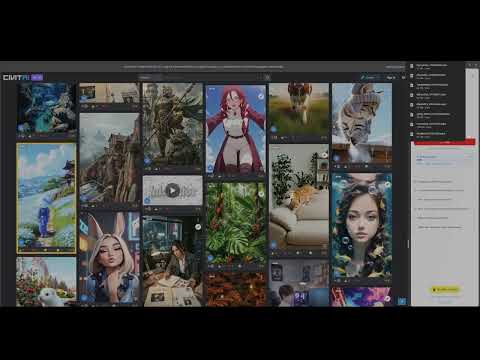
Save full-resolution images and videos from CivitAI while you browse, one item at a time or in bulk. CivitAI Media Downloader adds a download button to each card in your feed and a sidebar for mass downloading. Scroll through CivitAI, grab what you want, and keep your library organized on your own machine. # Individual downloads - Download button on each CivitAI card - Works on civitai.com and civitai.red - Green badge shows items already in your download history # Mass download - Open the sidebar and click Start Mass Download - Automatically scans visible cards, downloads new media, scrolls to load more, and repeats until - you stop - Skips items you've already downloaded - Customizable organization # Set your download folder and filename pattern - Use {creator}, {timestamp}, and {id} in both - Example: CivitAI Downloads/{creator}/{creator}_{timestamp}_{id}.jpg # Clean browsing - Optionally hide per-card download buttons if you only want mass download from the sidebar - Clear download history anytime to re-download items # Privacy - No analytics or data collection - All downloads happen locally through your browser - Open source: https://github.com/sebastianwd/civitai-media-downloader For civitai.com and civitai.red Not affiliated with CivitAI.
4 out of 52 ratings
Details
- Version0.2.4
- UpdatedAugust 5, 2026
- Offered bySebastianL
- Size311KiB
- LanguagesEnglish
- Developer
Email
sebastian.luque@protonmail.com - Non-traderThis developer has not identified itself as a trader. For consumers in the European Union, please note that consumer rights do not apply to contracts between you and this developer.
Privacy

This developer declares that your data is
- Not being sold to third parties, outside of the approved use cases
- Not being used or transferred for purposes that are unrelated to the item's core functionality
- Not being used or transferred to determine creditworthiness or for lending purposes
Support
For help with questions, suggestions, or problems, visit the developer's support site