Item logo image for Cisco NetAcad Smart Copier

Cisco NetAcad Smart Copier

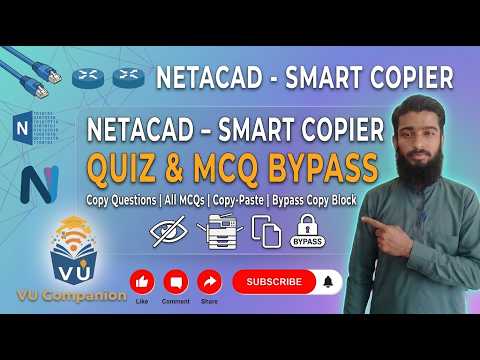
Item media 6 (screenshot) for Cisco NetAcad Smart Copier
Item video thumbnail
Item media 2 (screenshot) for Cisco NetAcad Smart Copier
Item media 3 (screenshot) for Cisco NetAcad Smart Copier
Item media 4 (screenshot) for Cisco NetAcad Smart Copier
Item media 5 (screenshot) for Cisco NetAcad Smart Copier
Item media 6 (screenshot) for Cisco NetAcad Smart Copier
Item video thumbnail
Item media 2 (screenshot) for Cisco NetAcad Smart Copier
Item media 3 (screenshot) for Cisco NetAcad Smart Copier
Item media 4 (screenshot) for Cisco NetAcad Smart Copier
Item media 5 (screenshot) for Cisco NetAcad Smart Copier
Item media 6 (screenshot) for Cisco NetAcad Smart Copier

Overview

Copy visible Cisco NetAcad quiz questions and options to the clipboard quickly.

Cisco NetAcad Smart Copier helps learners quickly capture visible question content from Cisco NetAcad pages. What it does: - Adds a Copy Question button inside supported Cisco NetAcad lesson/quiz pages. - Extracts the currently visible question text from complex page structures, including shadow DOM and iframe content. - Captures answer choices for multiple question layouts, including standard multiple choice and matching interfaces. - Copies clean, formatted text directly to your clipboard. - Re-enables text selection and common input actions (copy/paste/select/context menu) on supported NetAcad pages. What it does not do: - It does not auto-submit answers. - It does not bypass authentication. - It does not collect your account data. - It only runs on Cisco netacad.com pages.

Details

  • Version
    1.0.0
  • Updated
    May 7, 2026
  • Offered by
    Muhammad Atif Shahzad
  • Size
    98.71KiB
  • Languages
    English
  • Developer
    Email
    code.matif@gmail.com
  • Non-trader
    This developer has not identified itself as a trader. For consumers in the European Union, please note that consumer rights do not apply to contracts between you and this developer.

Privacy

Manage extensions and learn how they're being used in your organization
The developer has disclosed that it will not collect or use your data.

This developer declares that your data is

  • Not being sold to third parties, outside of the approved use cases
  • Not being used or transferred for purposes that are unrelated to the item's core functionality
  • Not being used or transferred to determine creditworthiness or for lending purposes

Support

Related

Canvas Helper

0.0

Extract questions from Canvas quizzes and provide AI-powered solutions.

Easy Exam

5.0

Discreet cheating on exams and generating AI-powered answers in real-time.

AI Smart Assistant

0.0

AI smart assistant based on multiple models, providing web content summary, smart reply and smart copywriting functions

Campus AI - Canvas AI Homework Help

4.8

Get support on questions quickly and confidently with AI.

MCAT.tools Companion

5.0

Quickly access your daily MCAT study plan or save question insights to your Review Journal — all from your browser.

NetAcad Smart Copier

0.0

Copy questions and answers from Cisco NetAcad quizzes with one click. Supports MCQ, drag-drop, and dropdown matching questions.

StudySpark - AI homework & study helper

1.7

Ace every test, quiz, and homework quickly and stress-free.

LookUp — Study Sensei

5.0

Capture your screen on-demand for AI-powered summaries, flashcards, and Q&A.

Vision AI

5.0

Capture web screenshots and add prompts for instant AI-powered responses with Vision AI.

QuizAce

5.0

AI-powered quiz solver for Canvas, Moodle, Blackboard, Google Forms and more. Get instant answers with one shortcut.

Panelize

5.0

Compare AI assistants side by side in one window. Send one prompt and review responses faster.

QuizAce - Your Ultimate AI-Powered Study Companion

5.0

Crush exams with QuizAce, the AI-powered quiz solver that helps you study smarter, faster, and better!

Canvas Helper

0.0

Extract questions from Canvas quizzes and provide AI-powered solutions.

Easy Exam

5.0

Discreet cheating on exams and generating AI-powered answers in real-time.

AI Smart Assistant

0.0

AI smart assistant based on multiple models, providing web content summary, smart reply and smart copywriting functions

Campus AI - Canvas AI Homework Help

4.8

Get support on questions quickly and confidently with AI.

MCAT.tools Companion

5.0

Quickly access your daily MCAT study plan or save question insights to your Review Journal — all from your browser.

NetAcad Smart Copier

0.0

Copy questions and answers from Cisco NetAcad quizzes with one click. Supports MCQ, drag-drop, and dropdown matching questions.

StudySpark - AI homework & study helper

1.7

Ace every test, quiz, and homework quickly and stress-free.

LookUp — Study Sensei

5.0

Capture your screen on-demand for AI-powered summaries, flashcards, and Q&A.

Google apps