

CineVocab
4 ratings
)
Overview
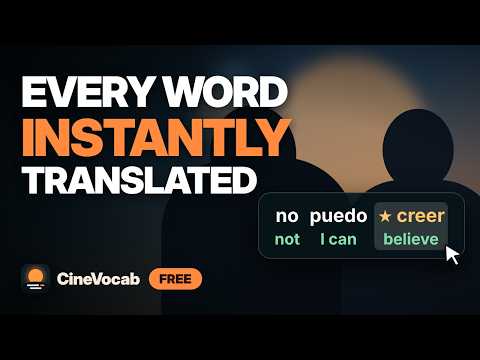
Learn a language from the shows you watch. Every subtitle word is translated live, on video sites with subtitles. Free.
Stop pausing to look up words. Watch your show, and CineVocab puts the translation of every subtitle word right on screen, live. Works on video sites that show subtitles: open the CineVocab icon and press "Turn on for this site". Free. No account needed to try it. WHY IT WORKS You remember words you met in a scene far better than words from a list. CineVocab turns the thing you already do (watching) into practice: every word you see is translated, saved, and brought back later as a quiz. TRY IT IN 30 SECONDS 1. Install CineVocab and pin it from the puzzle icon in Chrome's toolbar. 2. Open a video with subtitles and turn the subtitles on (use CC if the player has it). Click the CineVocab icon and press "Turn on for this site". 3. Click the CineVocab icon, choose the subtitle language and the language you want translations in, and switch it on. Each subtitle word now appears with its translation, and the whole sentence is translated underneath. KEEP YOUR WORDS (optional, free) Create a free account at https://cinevocab.up.railway.app, press "Create key" in Settings and paste the key into the popup. Your words are then saved by platform, show and episode. Translating works without a key; the key is only for saving. WHILE YOU WATCH - Any language pair, for example Spanish to English, French to English or Turkish to English - 16 subtitle languages: Turkish, English, French, Italian, German, Spanish, Portuguese, Russian, Arabic, Romanian, Japanese, Hindi, Indonesian, Polish, Dutch and Korean - Off by default: nothing is translated until you switch it on - Language guard: pauses when the subtitles are not in the language you chose - Hide the site's own subtitles so only CineVocab's are shown (optional) - Move the subtitle box to a corner or top/bottom center, resize it and set its transparency AFTER YOU WATCH (on the CineVocab website) - Word lists by platform, show and episode, with thumbnails - Quizzes with levels, streaks, daily goals, speed and survival modes - Smart review: words you miss come back sooner, words you know come back later - Listening and speaking practice (speaking is optional and uses your browser's speech recognition) - Daily challenge: the same 10 words for everyone, once a day - Private friend leagues and live duels with a 4-digit room code - Big-screen mode for classrooms, light and dark theme, interface in 6 languages PRIVACY The extension sends the subtitle line it reads, and the words you save, to our server (and from there to Google Translate) to be translated and stored. We also keep a simple daily count of translation requests, without any username, IP address or text, to see whether the extension is used. We never sell your data. You can delete your account and all your data at any time. Full policy: https://cinevocab.up.railway.app/privacy CineVocab is an independent project. It is not affiliated with or endorsed by any video platform.
5 out of 54 ratings
Details
- Version2.0.0
- UpdatedNovember 13, 2026
- Size227KiB
- Languages16 languages
- Developer
Email
yakupceri24@gmail.com - Non-traderThis developer has not identified itself as a trader. For consumers in the European Union, please note that consumer rights do not apply to contracts between you and this developer.
Privacy

CineVocab has disclosed the following information regarding the collection and usage of your data. More detailed information can be found in the developer's privacy policy.
CineVocab handles the following:
This developer declares that your data is
- Not being sold to third parties, outside of the approved use cases
- Not being used or transferred for purposes that are unrelated to the item's core functionality
- Not being used or transferred to determine creditworthiness or for lending purposes
Support
For help with questions, suggestions, or problems, visit the developer's support site