


Overview
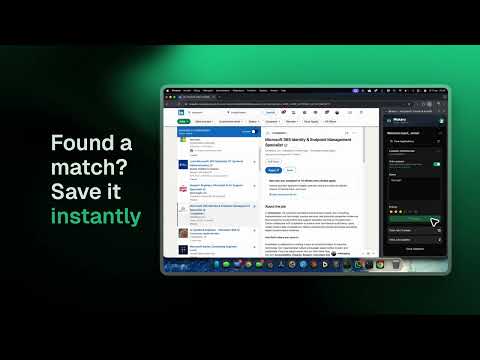
Save jobs from LinkedIn, Indeed and more. Autofill applications with your resume and keep your job search organized.
Save jobs. Autofill applications. Keep your search organized. Mokaru connects the jobs you discover online with your resumes and application tracker. Save an interesting role, fill supported application forms with your resume details, and keep track of what happens next. SAVE JOBS WHILE YOU BROWSE Capture job titles, companies, locations and descriptions from supported job boards and company career pages. Add notes and tags before saving a role to your Mokaru tracker. SPEND LESS TIME RETYPING Use information from your Mokaru resume to autofill supported application forms, including contact details, work experience and education. Choose your resume, review the filled fields and complete your application yourself. Support varies by website and form. SEE YOUR NEXT STEP Open your Mokaru tracker to organize jobs in a board or list. Move opportunities through Watchlist, Preparing, Applied, Interview and Offer. Keep job details, notes and contacts together so you can pick up where you left off. PREPARE A RESUME FOR THE ROLE Mokaru's web app helps you build and tailor resumes to job descriptions. With eligible Plus features, Auto-Prep can prepare a tailored resume when you save a job. Start from your existing experience and review the result before applying. GET STARTED 1. Install the extension and sign in to your Mokaru account. 2. Create or import a resume at mokaru.co. 3. Open a supported job posting and save it from the Mokaru side panel. 4. Use Autofill on supported application forms and follow your progress in the tracker. The extension is free to install. A Mokaru account is required; some AI and advanced features require a paid plan. Learn more: https://mokaru.co/browser-extension Support: https://mokaru.co/contact
5 out of 52 ratings
Details
- Version1.0.4
- UpdatedOctober 13, 2026
- Size1.07MiB
- LanguagesEnglish
- DeveloperWebsite
Email
hello@mokaru.ai - Non-traderThis developer has not identified itself as a trader. For consumers in the European Union, please note that consumer rights do not apply to contracts between you and this developer.
Privacy

Mokaru - Free Job Search Tracker & Autofill has disclosed the following information regarding the collection and usage of your data. More detailed information can be found in the developer's privacy policy.
Mokaru - Free Job Search Tracker & Autofill handles the following:
This developer declares that your data is
- Not being sold to third parties, outside of the approved use cases
- Not being used or transferred for purposes that are unrelated to the item's core functionality
- Not being used or transferred to determine creditworthiness or for lending purposes
Support
For help with questions, suggestions, or problems, visit the developer's support site