


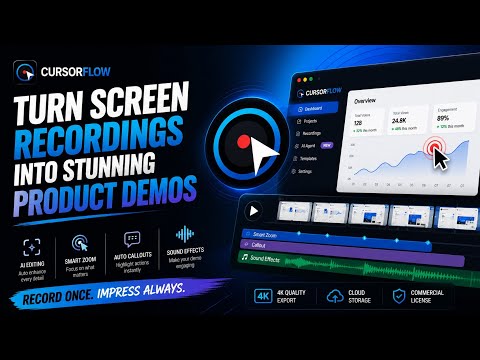
Overview
Capture screen workflows with auto-tracking and seamless studio export.
CursorFlow capture: The Ultimate Interactive Demo Engine Create polished product demos, tutorials, and interactive guides without spending hours manually editing screen recordings. CursorFlow is a professional screen capture and interaction recording tool built for SaaS founders, marketers, product teams, and creators. Record your workflow once, and CursorFlow automatically captures the interactions needed to turn it into a polished, engaging demo. Record in up to 4K at 60 FPS, capture precise cursor and click activity, and automatically generate zooms, callouts, and audio cues in CursorFlow Studio. 🚀 Core Features Zero-Lag 4K Capture Capture your workflow in up to 4K at 60 FPS with native aspect-ratio preservation, so your recordings stay sharp, smooth, and distortion-free. Smart Interaction Tracking Automatically captures cursor movement, clicks, and supported keyboard actions such as Enter and Escape to accurately reconstruct your workflow — without recording typed text or functioning as a keylogger. Automatic Callouts Detects the labels and structure of clicked interface elements to automatically generate contextual text callouts and step-by-step instructions. Multi-Page Continuous Recording Continue recording while navigating between pages, refreshing websites, or moving through multi-step workflows without losing your session. Premium Visual Effects Automatically enhance your recordings with a high-visibility cursor, click ripples, and interaction effects designed for clear, professional demonstrations. 🔒 Privacy by Design CursorFlow is designed around minimal data collection. We do not record passwords, typed text, or sensitive form-field contents. Interaction data is captured only to help reconstruct your workflow and generate your demo. Your recordings and associated data are securely processed through your authenticated CursorFlow Studio account. Raw captures are automatically deleted after 15 days. We never sell your data or use your personal recordings to train AI models. ⚡ Built for Fast Demo Creation Record your workflow. Let CursorFlow handle the tedious editing. Export a polished product demo in minutes. Note: An active CursorFlow account is required to process and render your final interactive videos.
0 out of 5No ratings
Details
- Version2.0.0
- UpdatedSeptember 3, 2026
- Size22.4KiB
- LanguagesEnglish
- DeveloperAbhishek PatelWebsite
makan no 346, ward no 10 shanti mohlla village Teori, Sleemnabad Katni Madhya Pradesh, 483440 katni, Madhya Pradesh 483440 INEmail
cursorflow15@gmail.comPhone
+91 87705 40051 - TraderThis developer has identified itself as a trader per the definition from the European Union and committed to only offer products or services that comply with EU laws.
Privacy

CursorFlow Capture has disclosed the following information regarding the collection and usage of your data. More detailed information can be found in the developer's privacy policy.
CursorFlow Capture handles the following:
This developer declares that your data is
- Not being sold to third parties, outside of the approved use cases
- Not being used or transferred for purposes that are unrelated to the item's core functionality
- Not being used or transferred to determine creditworthiness or for lending purposes
Support
For help with questions, suggestions, or problems, visit the developer's support site