

ChronoDOM - Form State Snapshot & Replay Tool

Overview
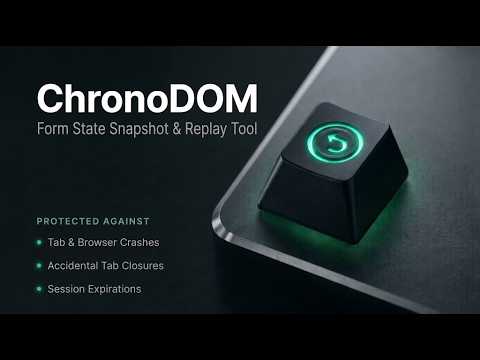
Instant form-state snapshots, replay presets, and time-travel undo for QA testers, web apps, and developers.
Capture, replay, and time-travel through multi-field form states with zero data loss. Whether you are a QA engineer testing 50-field registration and checkout flows across staging environments, a developer debugging reactive component states, or a user managing lengthy administrative applications, ChronoDOM gives you complete control over your form workflow. Instead of manually typing repetitive dummy data into dozens of inputs during every test cycle, ChronoDOM works like an offline, zero-latency Git timeline docked inside your browser's side panel. Populate entire forms in 1-click with intelligent mock data, save edge-case states as reusable JSON presets, inspect visual side-by-side diffs, and rehydrate React, Vue, Angular, or standard HTML forms with zero manual effort. 🌟 CORE CAPABILITIES: • 🧪 QA Presets & 1-Click State Replay: Save edge-case form data, multi-step configurations, and validation test states as named presets. Re-inject them into staging environments instantly without manually typing 50+ fields again. • 🟢 Live Auto Mode: Snappy, non-intrusive in-place typing upserts that preserve your active progress without cluttering storage. • ⏱️ Custom Timer History Checkpoints: Configure periodic snapshots (every 10s, 30s, 1m, 2m, or 5m) to maintain separate time-travel undo checkpoints. Roll back to how your form looked minutes or hours ago. • 🛡️ Crash Guard & Tab Sleep Shield: Safeguards your inputs against accidental tab closures, page reloads (beforeunload), and browser tab discarding (visibilitychange). Only saves when you've actively entered data. • ⚡ Framework-Safe Hydration (React, Vue, Angular, Svelte): Standard auto-fillers break on modern web frameworks because direct DOM property writes bypass virtual DOM states. ChronoDOM uses native prototype descriptors and synthetic event dispatching to guarantee component state synchronization. • 🔍 Visual Before/After Diff Viewer: Open the side panel and click "Diff & Pick" to inspect side-by-side differences between current page values and saved snapshots. • 🎯 Selective Field Restore: Need to restore only 2 fields out of 30? Check off the exact inputs you want to revert while keeping your recent edits untouched. • 🪄 Smart QA Autofill Engine: Need quick mock data for a staging run? Instantly generate and fill contextually realistic test data across all form fields in one click. • 🔒 Privacy & Financial Security Shield: Password inputs (<input type="password">), credit card numbers, CVVs, and hidden tokens are strictly excluded from capture. • 💾 100% Offline Local Storage: All snapshots are stored strictly inside your browser's local IndexedDB. No input data is ever sent to remote servers or analytics. • 📦 Portable JSON Backup & Export: Export individual presets or your entire snapshot history to JSON files and import them across browsers and staging environments. --- Developed & Maintained by FastEnd Technologies & Services Website: https://fastendtech.com/ Support: https://fastendtech.com/contact/
0 out of 5No ratings
Details
- Version1.2.2
- UpdatedNovember 6, 2026
- Offered byFastEnd Technologies & Services
- Size130KiB
- LanguagesEnglish
- DeveloperFastEnd Technologies & Services
N-11, Block-15, Gulistan-e-Johar, Karachi Karachi 75290 PKEmail
fastendservices@gmail.com - Non-traderThis developer has not identified itself as a trader. For consumers in the European Union, please note that consumer rights do not apply to contracts between you and this developer.
Privacy

ChronoDOM - Form State Snapshot & Replay Tool has disclosed the following information regarding the collection and usage of your data. More detailed information can be found in the developer's privacy policy.
ChronoDOM - Form State Snapshot & Replay Tool handles the following:
This developer declares that your data is
- Not being sold to third parties, outside of the approved use cases
- Not being used or transferred for purposes that are unrelated to the item's core functionality
- Not being used or transferred to determine creditworthiness or for lending purposes
Support
For help with questions, suggestions, or problems, please open this page on your desktop browser