


Overview
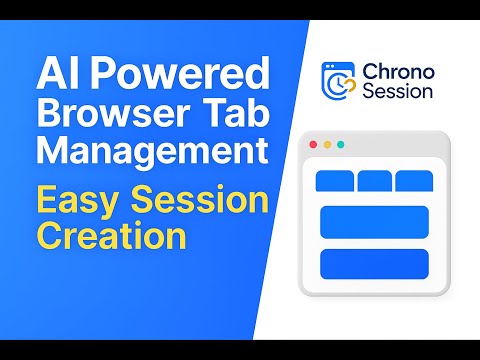
Organize your browser tabs into smart AI-labeled groups, restore instantly, sync securely across devices, even offline.
Chrono Session – AI-Powered Tab Management Chrono Session is a powerful Browser extension that helps you organize, save, and restore sets of browser tabs (called sessions) using intelligent automation and AI. Designed for researchers, developers, and productivity-driven users, it transforms cluttered browsing into a streamlined workspace. 🔑 Key Features • Smart Tab Session Management ‣ Save all open tabs instantly as a named session ‣ One-click restore of entire sessions anytime ‣ Offline-first support using local storage • AI-Powered Organization ‣ Gemini AI generates session titles, descriptions, and thumbnails ‣ Auto-categorization of tabs based on content ‣ Global search across saved sessions and URLs • Secure Cloud Synchronization ‣ Cross-device sync via encrypted cloud storage (Supabase) ‣ Real-time backup and recovery • Productivity & Analytics ‣ Visual dashboard with time-based session insights ‣ Tab usage trends, focus metrics, and productivity suggestions • User-Centric Interface ‣ Clean, modern design with light/dark mode ‣ Customizable views, keyboard shortcuts, and session filters • Privacy First ‣ End-to-end encrypted cloud sessions ‣ No third-party data sharing or tracking ‣ Full control over your session data 🧠 Why Chrono Session? Unlike traditional tab managers, Chrono Session uses AI and ML to help you recall, organize, and interact with tab groups more intelligently. You get both speed and context — visual previews, smart search, and natural language session querying. 🚀 How to Get Started Install the extension Save tabs using the popup or context menu Open the dashboard to browse or restore sessions Enable cloud sync to access sessions anywhere Let AI organize your work for smarter productivity For documentation, updates, or support, visit: 🔗 https://chronosession.com
4.4 out of 510 ratings
Details
- Version1.2
- UpdatedJanuary 20, 2026
- Size1.65MiB
- LanguagesEnglish
- DeveloperPravin BWebsite
18, Ramu colony , 2nd Street , Kondappa Goundar Layout , Tiruppur. Tiruppur, Tamil Nadu 641607 INEmail
pravinboopathi456@gmail.comPhone
+91 87782 27393 - TraderThis developer has identified itself as a trader per the definition from the European Union and committed to only offer products or services that comply with EU laws.
Privacy

Chrono Session has disclosed the following information regarding the collection and usage of your data. More detailed information can be found in the developer's privacy policy.
Chrono Session handles the following:
This developer declares that your data is
- Not being sold to third parties, outside of the approved use cases
- Not being used or transferred for purposes that are unrelated to the item's core functionality
- Not being used or transferred to determine creditworthiness or for lending purposes
Support
For help with questions, suggestions, or problems, visit the developer's support site