


Overview
Capture chromosome segment data from MyHeritage DNA matches and copy it straight into DNA Painter chromosome maps
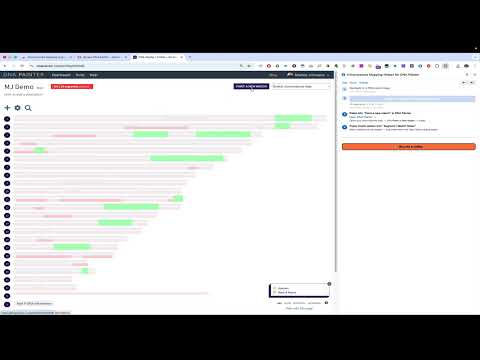
The Chromosome Mapping Helper for DNA Painter makes it easy to copy chromosome segment data from MyHeritage DNA match pages directly into your DNA Painter chromosome maps — with one click. WHAT IT DOES The extension copies chromosome segment data from the MyHeritage DNA match page and copies it to your clipboard, ready to paste into DNA Painter's "Paint a new match" field. HOW TO USE • Open a DNA match page on MyHeritage • Scroll to the bottom so the chromosome browser fully loads • Click "Capture & Copy Segments" in the side panel • In DNA Painter, open your chromosome map → Paint a new match → paste • Optionally paste match details (name, relationship, cM, notes) in the match notes field. Note: some matches do not share chromosome data — in that case there is nothing to copy. This Extension doesn't give you access to more than you already have on either MyHeritage or DNA Painter. It only takes data your browser has downloaded and simplifies the process of moving it from one please to the other. DATA COPIED • Match name and predicted relationship • Shared DNA: total cM, segment count, largest segment • Labels and notes (if loaded) • Full chromosome segment data: chromosome number, start/end positions, cM, SNP count PRIVACY No data is collected, stored, or transmitted to any third party. All processing happens entirely within your browser, from pages you manually choose and load. Segment data is read from your local session and written to DNA Painter only at your explicit request - when you paste it there. LICENSE MIT License Release Notes v1.3.2 Data-safety fix – Segment capture now refuses to fall back to unfiltered IndexedDB data when the current match can't be identified from the page URL, instead of risking a different match's cached segments being returned. v1.3.1 Shorthand fix — relationships like “4th cousin’s daughter” now correctly produce 4C1R instead of 4C. Possessive descent and ascent wording (“…’s son / daughter / grandchild / great-grandson…”, “…’s mother / father / grandparent…”, and the inverse “daughter of Nth cousin” form) is now recognised. Shorthand is English-only — when MyHeritage is set to a non-English language the Shorthand row shows a notice instead of a value, and the line is omitted from the copied match details. In Settings, the “Append shorthand to match name” checkbox and the “Relationship shorthand” row in the match-details picker are greyed out with a note, so it’s clear why they don’t do anything until you switch MyHeritage to English. v1.3.0 Relationship shorthand — cousin relationships get a compact label (1C, 1C1R, 2C2R, 1C1R-2C…). Either append it to the match name (e.g. “Jane Doe (1C1R)”) — which also auto-fills the DNA Painter Save Match name field — or copy it as its own line in the match-details list. Settings → Append relationship shorthand to match name + Match details to copy. New release notes indicator — a small dot pulses next to the Release Notes link when there are notes you haven’t seen yet, and unread version sections inside the modal are tagged NEW. Clicking the link clears the dot. Match-details picker also gets ▲/▼ buttons alongside drag-to-reorder. v1.2.0 Customisable match details — in Settings, choose which match-detail fields are copied (match name, relationship, shared DNA stats, notes, labels, source URL) and drag to reorder them. Top bar reordered to About | Help | Release Notes | Settings. Help text refreshed for the new feature set v1.1.3 Expand and copy match notes (Settings, opt-in) — briefly opens the MyHeritage notes panel during capture so any note on the match is included automatically. The panel closes again afterwards. v1.1.2 Clear data button — added to the top of the panel for quick reset between matches. Clears captured data and the clipboard. v1.1.1 Expanded MyHeritage support to all DNS-verified country domains — 49 TLDs covering every supported language region worldwide. v1.1.0 Push mode preference — choose what to copy when capturing: segments & match details (default), segments only, or match details only. Steps that don’t apply to the selected mode are greyed out in the panel. Release Notes panel added. v1.0.1 Stability improvements and bug fixes. v1.0.0 Initial release. Four-step wizard UI; IndexedDB-first chromosome segment extraction from MyHeritage; clipboard-based transfer to DNA Painter with automatic match details pre-load on Save Match. ------------ ------------ ------------ DISCLAIMER This is an independent, community-built tool. It is not affiliated with, endorsed by, or associated with DNA Painter (dnapainter.com) or MyHeritage (myheritage.com).
0 out of 5No ratings
Details
- Version1.3.2
- UpdatedJuly 2, 2026
- Size52.85KiB
- LanguagesEnglish
- DeveloperWebsite
Email
mattias@mjonsson.me - Non-traderThis developer has not identified itself as a trader. For consumers in the European Union, please note that consumer rights do not apply to contracts between you and this developer.
Privacy

This developer declares that your data is
- Not being sold to third parties, outside of the approved use cases
- Not being used or transferred for purposes that are unrelated to the item's core functionality
- Not being used or transferred to determine creditworthiness or for lending purposes
Support
For help with questions, suggestions, or problems, please open this page on your desktop browser