


Overview
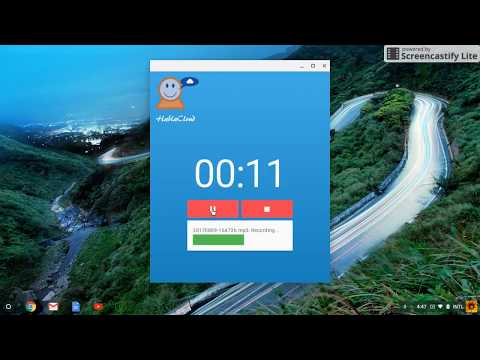
Simple, easy to use voice recording app ideal for language instruction and testing.
Features: • High-quality MP3 recording with real-time audio level visualization • Floating window that stays on top while you work • Simple controls allow you to rewind, fast forward, and play back your recording • In the classroom, one-click download of recordings to Google Drive for easy review by the teacher • Use in combination with Google Classroom to assign, record, and grade speaking assignments • For secure testing, use kiosk mode to limit saving of recorded file to Chromebook downloads folder (and attached USB drive) Optimized for Chromebooks and educational environments.
0 out of 5No ratings
Details
- Version2.0.4
- UpdatedJune 26, 2025
- Size356KiB
- LanguagesEnglish (United States)
- DeveloperWebsite
Email
bill@hablacloud.com - Non-traderThis developer has not identified itself as a trader. For consumers in the European Union, please note that consumer rights do not apply to contracts between you and this developer.
Privacy

This developer declares that your data is
- Not being sold to third parties, outside of the approved use cases
- Not being used or transferred for purposes that are unrelated to the item's core functionality
- Not being used or transferred to determine creditworthiness or for lending purposes
Support
For help with questions, suggestions, or problems, please open this page on your desktop browser