

Chrome Response Override
15 ta baho
)
Umumiy
Provides support to override API/HTML/* response using simple Find & Replace steps. No external app installation required
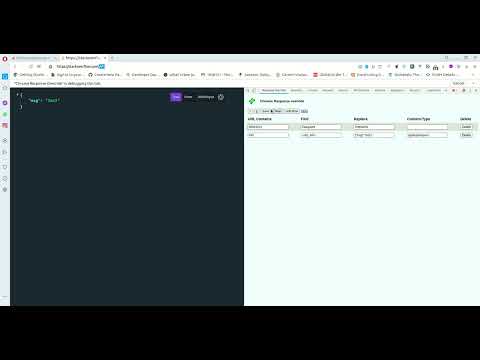
# chrome-response-override Chrome devtools extension to modify response on the fly, no external app installation required. Provide support to override API/HTML/* response using simple Find & Replace steps. No external app installation required. Steps to override response body in chrome extension 1) Open devtools, navigate to "Response Override" tab 2) Click "Add Row" 3) Enter URL contains value only this URL response will be modified. If you want to modify URL in home page like www.example.com and no URI Path, use Special variable called ~NO_URI~ in URL contains field. 4) Enter Find value It's a javascript regex pattern. 5) Enter Replace value to replace with. No need to provide content-type 6) Click "Save" to save everything. 7) Click "Play" button to start modifying response. 8) You must click pause button to stop this modification. 9) You must keep this devtools open 10) Issue with the override, either open private tab with only this plugin enabled in private tab or please try disabling other plugins working with network, like request header modifier and run this plugin again. If the other plugins using old network API may affect this plugin Ex. If you want to add new node in json. Find: "existingNode":"existingValue" Replace: "existingNode":"existingValue", "newNode": "newValue" If you want to modify URL in home page like on www.example.com page and no URI Path, use Special variable called ~NO_URI~ in URL contains field. Special Variable 1. If you put "~NO_API~" (without ") in Find, no remote call will be made, provide full response. Provide content-type in this case. 2. If you want to modify URL in home page like on www.example.com page and no URI Path, use Special variable called ~NO_URI~ in URL contains field. How This works: This devtools extension add network break point and listen to URL contains the user input Make API Client call and get response. Do Find and Replace on top of response. Serve the replaced response. New on V1.7: 1.Moving away from chrome.tabs.getSelected to chrome.tabs.query New on V1.6: 1. Fix using "/" in URL contains breaking page. Instead please use ~NO_URI~ Project space: https://github.com/Pasupathi-Rajamanickam/chrome-response-override
2,3/515 ta baho
Tafsilotlar
- Versiya1.8
- Yangilandi24-iyun, 2022
- Muallif:Pasupathi Rajamanickam
- Hajmi488KiB
- TillarEnglish (United States)
- Dasturchi
Email
netunalvatai@gmail.com - Sotuvchi emasBu dastur ishlab chiquvchi oʻz hisobida sotuvchi maqomini belgilamagan. Yevropa Ittifoqi mijozlaridan siz va ushbu dastur ishlab chiquvchi oʻrtasidagi bitimlarga isteʼmolchilar huquqlarini himoya qilish qonunlari tatbiq etilmasligi mumkinligiga eʼtibor qaratishlarini soʻraymiz.
Maxfiylik
Ushbu dastur ishlab chiquvchi maʼlumotlaringiz haqida quyidagilarni xabar qilgan:
- Ruxsat etilgan foydalanish holatlaridan tashqari uchinchi shaxslarga sotilmaydi
- Mahsulotning asosiy funksiyalariga aloqador boʻlmagan maqsadlarda ishlatilmaydi va uzatilmaydi
- Toʻlov qobiliyatini aniqlash yoki kreditlash maqsadlarida ishlatilmaydi va uzatilmaydi
Yordam
Mahsulotga oid muammolar, savol va takliflar haqida xabar qilish uchun kompyuter orqali shu sahifani oching