

Chrome Bridge

Overview
Connect Chrome tabs to the local chrome-bridge MCP server.
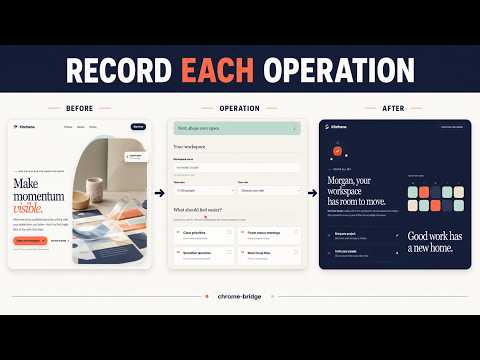
Chrome Bridge connects the Chrome browser you already use to a local Model Context Protocol (MCP) server. An MCP client can list and select tabs, capture accessibility snapshots, and perform explicit page operations without automatically bringing a background target to the foreground. Data disclosure: Chrome Bridge can read and interact with HTTP and HTTPS pages when instructed by the user's MCP client. Page information and operation results are sent to the WebSocket endpoint configured by the user, which defaults to the Chrome Bridge server on the same machine. The Chrome Bridge project does not operate a server that receives this data. Main features: - Operate tabs across Chrome windows and multiple profiles with explicit routing. - Select a background target independently from Chrome's active tab. - Use generation-scoped accessibility references for click, type, select, drag, and file-upload operations. - Capture viewport screenshots and current-document console messages. - Record explicitly requested operations as silent WebM files saved locally below Downloads/chrome-bridge. - Connect to a user-configured WebSocket endpoint; the supported default is the local Chrome Bridge MCP server on 127.0.0.1. Chrome Bridge requires the separate chrome-bridge-mcp local server and an MCP-compatible client. It does not provide a cloud relay, analytics, or advertising.
0 out of 5No ratings
Details
- Version0.6.0
- UpdatedOctober 15, 2026
- Offered bykiarina
- Size83.88KiB
- LanguagesEnglish
- Developer
Email
chrome-bridge@blazeworks.jp - Non-traderThis developer has not identified itself as a trader. For consumers in the European Union, please note that consumer rights do not apply to contracts between you and this developer.
Privacy

Chrome Bridge has disclosed the following information regarding the collection and usage of your data. More detailed information can be found in the developer's privacy policy.
Chrome Bridge handles the following:
This developer declares that your data is
- Not being sold to third parties, outside of the approved use cases
- Not being used or transferred for purposes that are unrelated to the item's core functionality
- Not being used or transferred to determine creditworthiness or for lending purposes
Support
For help with questions, suggestions, or problems, visit the developer's support site