


Overview
Extract beautiful color palettes, gradients & fonts from any website. One-click export to Figma.
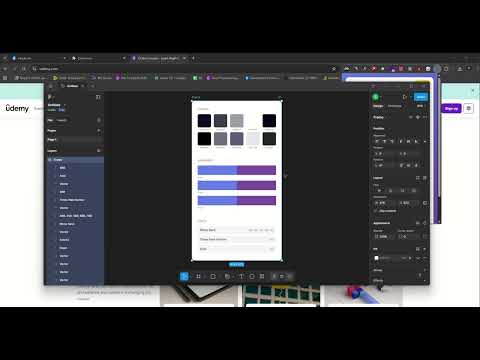
🎨 ChromaPick – Extract Beautiful Color Palettes from Any Website Stop manually picking colors! ChromaPick instantly extracts complete color palettes, gradients, and fonts from any webpage with one click. ✨ Key Features 🎯 Smart Color Extraction • Automatically detects background, text, and border colors • Organizes colors by category and removes duplicates • Shows color frequency and usage patterns 🌈 Gradient Detection • Captures linear, radial, and conic gradients • Displays full CSS gradient code • One-click copy for immediate use 🔤 Font Detection • Identifies all fonts used on the page • Shows font weights and styles • Ideal for typography research 📋 One-Click Copy • Copy any color’s HEX code instantly • Export entire palettes quickly • Ready-to-use CSS variables ⭐ Pro Features 🎨 Export to Figma Copy extracted palettes as editable vector shapes directly into Figma — no manual work required! 📊 Full Palette View View your complete color palette, gradients, and fonts in a dedicated page for easy reference and sharing. 💡 Perfect For • UI/UX Designers – Get instant color inspiration • Web Developers – Extract exact colors for your projects • Brand Designers – Analyze competitor color schemes • Figma Users – Import palettes quickly • Frontend Engineers – Copy CSS-ready color codes • Design Students – Study professional color combinations 🚀 How to Use Visit any website Click the ChromaPick icon Hit Extract Colors Click any color to copy, or export to Figma 🔒 Privacy First • No data collection • No tracking • Works 100% locally in your browser • No account required for free features
0 out of 5No ratings
Details
- Version1.0.0
- UpdatedFebruary 17, 2026
- FeaturesOffers in-app purchases
- Size39.7KiB
- LanguagesEnglish
- DeveloperWebsite
Email
samratneupane.official@gmail.com - Non-traderThis developer has not identified itself as a trader. For consumers in the European Union, please note that consumer rights do not apply to contracts between you and this developer.
Privacy

This developer declares that your data is
- Not being sold to third parties, outside of the approved use cases
- Not being used or transferred for purposes that are unrelated to the item's core functionality
- Not being used or transferred to determine creditworthiness or for lending purposes
Support
For help with questions, suggestions, or problems, visit the developer's support site