

Chess Helper: Free Analysis, Cheat Check
1 rating
)
Overview
Get a free game review, check your opponent for cheating, see which past opponents got banned, plus notation and time alerts.
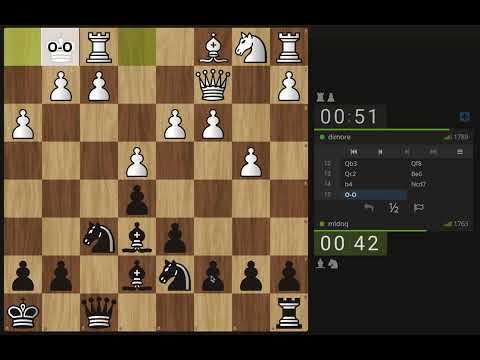
Chess Helper gives you a free game review, a cheat check on your opponent, and move notation on the board, all from one popup while you play on Chess.com or Lichess.org. Free game review: On a finished Chess.com game, one click opens a full review on freechessreview.com, with accuracy, move badges (best, mistake, blunder, brilliant) and engine lines. Stockfish runs in your own browser, so there is no daily limit and no account. Check your opponent: One click opens a free statistical cheat report on the player you are facing, with their username and the time control (blitz or rapid) already selected. It compares their games to honest players at the same rating. New in v1.9, check all your opponents: One click opens chess-cheat-detection.com/opponents with your username filled in. Pick a period and it goes through every opponent you played and shows which of them have since been banned by the site, month by month, with your score against them. Move notation on the board: As you play, the extension detects each move in real time, highlights the destination square with a subtle overlay and shows the standard algebraic notation (Nf3, exd5, O-O) on that square, then fades out. Handles castling, promotions, captures and disambiguations. Pause it or change the highlight duration from the popup. Audio time alerts: Spoken countdown warnings at thresholds you choose (30s, 10s, 5s, 3s, 2s, 1s), so you never lose on time. Everything runs locally in your browser. The extension collects no personal data and transmits nothing on its own. The three buttons simply open a link when you click them: the review link carries your game's moves in the part of the address that browsers never send to a server, the opponent check carries your opponent's public username, and the opponents check carries your own. How it works: 1) Install and enable the extension 2) Open any live game on Chess.com or Lichess.org 3) Open the popup to review the game, check your opponent, check all your past opponents, pause notation, or enable audio alerts Who it's for: Anyone who wants an unlimited free game review Players who suspect an opponent and want numbers instead of a hunch Players curious how many cheaters they have faced over the years Beginners mastering algebraic notation Players who want time warnings without a premium subscription Install Chess Helper today and level up your chess experience!
4 out of 51 rating
Details
- Version1.9.0
- UpdatedNovember 9, 2026
- Offered bymladenqdev
- Size26.57KiB
- LanguagesEnglish (United States)
- Developer
Email
mladenqdev@gmail.com - Non-traderThis developer has not identified itself as a trader. For consumers in the European Union, please note that consumer rights do not apply to contracts between you and this developer.
Privacy

This developer declares that your data is
- Not being sold to third parties, outside of the approved use cases
- Not being used or transferred for purposes that are unrelated to the item's core functionality
- Not being used or transferred to determine creditworthiness or for lending purposes