

Chegg Expert Question Alert
평점 6개
)
개요
Get instant sound alerts for new Chegg questions! Auto-refresh and multitask without constantly monitoring the Q&A page.
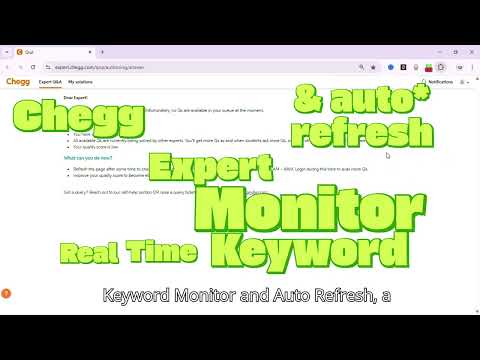
Chegg Expert Monitor – Real-Time Keyword Monitor Overview Chegg Expert Question Alert is a simple, lightweight Chrome extension designed for Chegg Experts. It helps you stay notified of new questions on the Expert Q&A page without needing to constantly check the screen. Who is it for? * Chegg Experts who don’t want to miss new questions while multitasking. * Users who find it difficult to monitor Chegg Q&A continuously, especially during late hours. What it does * Monitors the Chegg Expert Q&A page while it is open in your browser. * Lets you set a custom keyword in the popup (e.g., “Exit”, “Expert Q&A Notification”). * When the keyword appears on the page, the extension: * Highlights the keyword. * Plays a sound to notify that the keyword is found. * Includes an ON/OFF toggle to quickly enable or disable monitoring. * Refresh interval customization: you can set the refresh time (e.g., 5 or 10 seconds). 5 seconds is recommended for the fastest alerts without missing new questions. How to Use 1. Open the Chegg Expert Q&A page in your Chrome browser. 2. Click the extension icon in the toolbar to open the popup. 3. Enter a keyword (e.g., “Exit” or “Left”) that appears when a new question is listed. 4. Enter the time in seconds (e.g., "5" or "10") to refresh the page after every x seconds. 5. Turn the ON/OFF toggle to enable monitoring. 6. Keep the Chegg page open in a tab. 7. When the keyword appears: A sound will be made to alert the expert. 8. You can update the keyword or toggle anytime. Note: After entering the keyword and setting the auto-refresh, first manually refresh the page once and click anywhere on the Expert Q&A page. After that, the extension will work automatically. What problem it solves On Chegg, questions stay on the Expert Q&A page for only a limited time. Many experts miss them because they can’t keep checking the page every minute. This extension solves that problem by: * Sending a real-time alert sound when a question appears. * Allowing experts to multitask without worrying about missing questions. * Helping experts respond on time and make better use of their available work hours. * Ensuring safety: This extension does not interfere with Chegg’s system in any way, so no revocation of your Chegg Expert account will happen because of using it.
5점 만점에 5점평점 6개
세부정보
- 버전1.0.1
- 업데이트됨2025년 9월 19일
- 제공singhdeepank9
- 크기68.52KiB
- 언어English (United States)
- 개발자Deepank Singh
143 MDDA Colony Tyagiroad Dehradun Dehradun, Uttarakhand 248001 IN이메일
singhdeepank9@gmail.com전화
+91 78189 20767 - 판매자개발자가 유럽연합에서 정의한 바에 따라 본인을 판매자로 밝혔으며 EU 법규를 준수하는 제품 또는 서비스만 제공하기로 약정했습니다.
개인정보 보호

개발자가 사용자 데이터에 관해 다음과 같이 선언했습니다
- 승인된 사용 사례를 제외하고 서드 파티에 판매하지 않음
- 항목의 핵심 기능과 관련 없는 목적으로 사용하거나 전송하지 않음
- 신용도 판단 또는 대출 목적으로 사용하거나 전송하지 않음
지원
질문, 제안 또는 문제와 관련하여 도움이 필요하면 데스크톱 브라우저에서 이 페이지를 여세요.