

ChatShell: Export ChatGPT to PDF, DOCX & Markdown

Overview
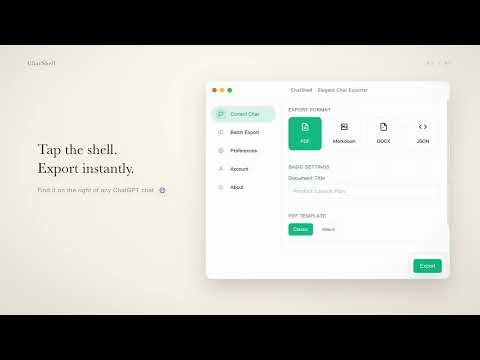
Export ChatGPT conversations to PDF, DOCX, Markdown & JSON. Batch export chats locally with no uploads or login required.
Export ChatGPT conversations to PDF, DOCX, Markdown, JSON, or batch-export HTML directly in your browser. ChatShell keeps export processing local, so chat content is not uploaded to developer servers. Key features One-click export for the current conversation Batch export for multiple conversations in one workflow (Pro) Team Workspace export support (Pro) Preserves LaTeX math, code blocks, tables, and readable structure Supports PDF, DOCX, Markdown, JSON, and HTML batch output Why choose ChatShell Archive important conversations for long-term reference Turn useful chats into editable documents or structured files Keep sensitive conversation content on your device during export Use a simple workflow designed for repeated daily use Privacy and license Conversation content is processed locally for export and is not sent to developer servers. License validation sends only the data required for verification and recovery, including the license key and instance ID, to our Cloudflare Worker and Creem. Chat content is not included. All network requests use HTTPS. Best for Developers Students and researchers Writers and content teams Anyone who needs to save, organize, or share ChatGPT conversations Learn more Website: https://www.chatshellexport.com FAQ: https://www.chatshellexport.com/faq Privacy Policy: https://www.chatshellexport.com/privacy Terms: https://www.chatshellexport.com/terms Disclaimer Not affiliated with or endorsed by OpenAI or ChatGPT.
5 out of 51 rating
Details
- Version1.0.0.24
- UpdatedOctober 11, 2026
- FeaturesOffers in-app purchases
- Size4.05MiB
- Languages2 languages
- DeveloperWebsite
Email
support@chatshellexport.com - Non-traderThis developer has not identified itself as a trader. For consumers in the European Union, please note that consumer rights do not apply to contracts between you and this developer.
Privacy

ChatShell: Export ChatGPT to PDF, DOCX & Markdown has disclosed the following information regarding the collection and usage of your data. More detailed information can be found in the developer's privacy policy.
ChatShell: Export ChatGPT to PDF, DOCX & Markdown handles the following:
This developer declares that your data is
- Not being sold to third parties, outside of the approved use cases
- Not being used or transferred for purposes that are unrelated to the item's core functionality
- Not being used or transferred to determine creditworthiness or for lending purposes
Support
For help with questions, suggestions, or problems, please open this page on your desktop browser