

AI-ChatNote
2 ratings
)
Overview
Comment on individual paragraphs in AI chat responses before sending your next message.
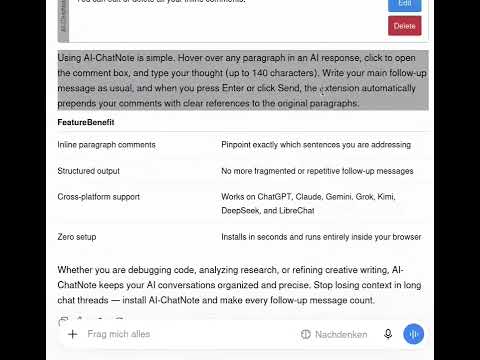
AI-ChatNote lets you add inline comments to individual paragraphs in AI chats for a faster, better chat experience. An editor opens when you click on a paragraph, bullet point or table cell. There you can type your comment, then click save and move on to the next. When you are done with your response, all comments will be send along with your main chat message. The AI will know what paragraph each comment belongs to. Users who are not logged in can switch AI-ChatNote on and off for each supported AI platform individually. Additional Premium functionality is reserved for users who are logged in: - Remove the character limit in the comment editor - Switch between commenting whole paragraphs and marked segments - Individualize all colors for hover, font and background - Change the injection prompts for optimal results ... for each AI platform individually. Supported platforms include all major AI providers including OpenAI, Antropic and Moonshot. Caution: Switching models during a chat session disables AI-ChatNote. You can reactivate it by reloading the page (F5). All data remains local to your browser. The extension only runs on the supported chat URLs listed in the manifest and does not transmit any information to external servers. Feedback: ChatNote(a)mail.de
5 out of 52 ratings
Details
- Version3.2.1
- UpdatedOctober 30, 2026
- Offered byMK2000
- Size430KiB
- LanguagesEnglish
- Developer
Email
chatnote@mail.de - Non-traderThis developer has not identified itself as a trader. For consumers in the European Union, please note that consumer rights do not apply to contracts between you and this developer.
Privacy

AI-ChatNote has disclosed the following information regarding the collection and usage of your data. More detailed information can be found in the developer's privacy policy.
AI-ChatNote handles the following:
This developer declares that your data is
- Not being sold to third parties, outside of the approved use cases
- Not being used or transferred for purposes that are unrelated to the item's core functionality
- Not being used or transferred to determine creditworthiness or for lending purposes