

ChatMirror

Overview
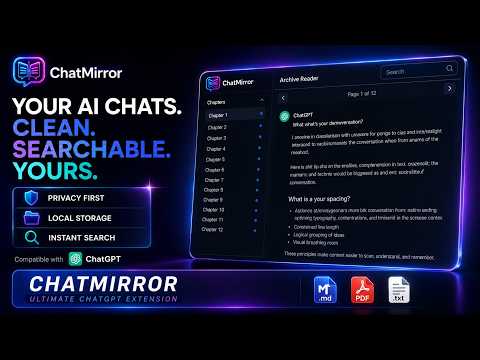
Open long ChatGPT conversations in a dedicated archive reader with pagination, search, focus mode, and export.
ChatMirror turns the saved ChatGPT conversation you are viewing into a clean, read-only reader inside your browser. Long conversations can become difficult to navigate as one continuous page. ChatMirror opens the active saved conversation in a separate reader where you can move through it page by page, search across the captured conversation branch, jump between results, use focus mode, and navigate with keyboard shortcuts. Features: • Clean, local, read-only conversation reader • 20-message pagination • Search across the captured active conversation branch • Search-result navigation and highlighting • Page jump and sidebar navigation • Focus mode and keyboard shortcuts • Markdown export • Plain-text export • JSON export • Browser Print / Save as PDF • Local extension storage with automatic retention limits • No analytics, advertising, or ChatMirror account How to use ChatMirror: 1. Install the extension. 2. Refresh any ChatGPT tab that was already open before installation. 3. Sign in to ChatGPT. 4. Open a saved conversation at a URL beginning with: https://chatgpt.com/c/ 5. Wait for the conversation to finish loading. 6. Click the ChatMirror toolbar icon. 7. Select “Open Mirror.” ChatMirror processes the selected conversation locally inside the extension. Conversation content is not sent to the developer, analytics providers, advertisers, or a developer-operated cloud service. ChatMirror supports saved ChatGPT conversation pages only. Temporary chats, shared conversation pages, legacy chat.openai.com URLs, and alternate response branches are not supported. Attachments may appear as local metadata or placeholders. Remote attachment files and images are not fetched by the reader. The PDF option uses the browser’s Print / Save as PDF workflow. ChatMirror depends on the current structure of the ChatGPT website. Changes to ChatGPT may occasionally require an extension update. ChatMirror is an independent browser extension and is not affiliated with or endorsed by OpenAI.
0 out of 5No ratings
Details
- Version1.0.0
- UpdatedJuly 22, 2026
- Offered byDanish Irfan
- Size284KiB
- LanguagesEnglish
- Developer
Email
danishirfan.ai@gmail.com - Non-traderThis developer has not identified itself as a trader. For consumers in the European Union, please note that consumer rights do not apply to contracts between you and this developer.
Privacy

ChatMirror has disclosed the following information regarding the collection and usage of your data. More detailed information can be found in the developer's privacy policy.
ChatMirror handles the following:
This developer declares that your data is
- Not being sold to third parties, outside of the approved use cases
- Not being used or transferred for purposes that are unrelated to the item's core functionality
- Not being used or transferred to determine creditworthiness or for lending purposes