


Overview
Save ChatGPT conversations as .json files on your own computer: text, images and code included. No account, nothing uploaded.
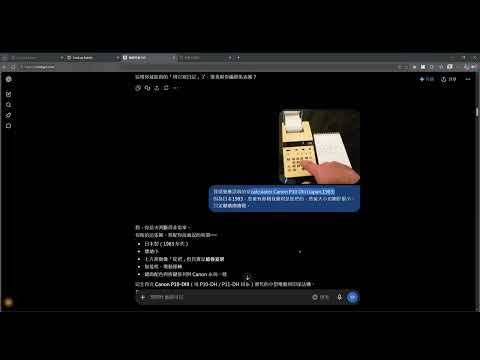
Save your ChatGPT conversations as files on your own computer. Open a conversation on chatgpt.com and click the toolbar icon — the whole conversation is saved as a .json file. • Text, code and images are all saved • Voice chat transcripts are saved too • Uploaded files are listed by name; ChatGPT's interactive option cards are saved as readable questions and choices • Choose how images are saved: original, half size, 1/4 size, or link only • Conversations you have saved get a small mark in the sidebar, so you can see at a glance which ones are saved (can be hidden) • Use "Sync from folder" to share these marks between Edge and Chrome • The interface is in English or Traditional Chinese, following your browser language [Privacy] • Reads the current conversation only when you click the icon • Uses your own logged-in session, and saves to your own computer • Nothing is sent to the author or any third party; no account needed • Only asks for access to chatgpt.com (and its image addresses) — it cannot read other websites [After saving] The .json file is plain text — any text editor can open it, and it is always yours. After saving, the panel has buttons that open these three tools. They are on itch.io, each with a free trial; the full versions are paid: • ChatLog Bubbles (chat bubbles — read and print) https://oowoov.itch.io/chatlog-bubbles • ChatLog Novel (book layout) https://oowoov.itch.io/chatlog-novel • ChatLog Editor (edit right inside the conversation: fix typos, add bookmarks and notes) https://oowoov.itch.io/chatlog-editor Bug reports: https://docs.google.com/forms/d/e/1FAIpQLScfCm_LgyIqis7ZNL1nRtN_-Q5Kqf-wyqWzfHJDPRkMSFFIOw/viewform
Details
- Version1.9
- UpdatedOctober 22, 2026
- Offered byoOwOo.v
- Size47.77KiB
- Languages2 languages
- Developer
Email
oowoq.v@gmail.com - Non-traderThis developer has not identified itself as a trader. For consumers in the European Union, please note that consumer rights do not apply to contracts between you and this developer.
Privacy

ChatGPTlog: Save ChatGPT conversations as files has disclosed the following information regarding the collection and usage of your data. More detailed information can be found in the developer's privacy policy.
ChatGPTlog: Save ChatGPT conversations as files handles the following:
This developer declares that your data is
- Not being sold to third parties, outside of the approved use cases
- Not being used or transferred for purposes that are unrelated to the item's core functionality
- Not being used or transferred to determine creditworthiness or for lending purposes
Support
For help with questions, suggestions, or problems, visit the developer's support site


