


概述
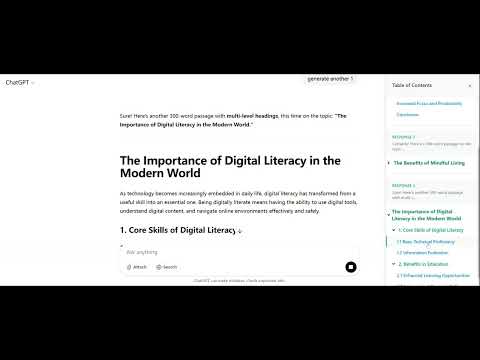
Display a table of contents for ChatGPT generated content in a right sidebar
Effortlessly navigate long ChatGPT conversations with a single click! Features: - Instant Table of Contents: Click the extension button to instantly display a sidebar with a structured table of contents (TOC) for your current ChatGPT conversation. - Easy Navigation: Jump directly to any section or heading in the conversation by clicking items in the TOC—no more endless scrolling! - Clean Sidebar: Enjoy a distraction-free, collapsible sidebar that keeps your focus on the conversation. How it works: 1. Open a ChatGPT conversation. 2. Click the TOC button in your browser. 3. The sidebar TOC appears, listing all headings and sections. 4. Click any TOC item to instantly scroll to that part of the conversation. Why use GPT TOC Extension? - Save time finding information in lengthy AI chats. - Stay organized and focused during research or brainstorming. - Enjoy a smoother, more productive ChatGPT workflow.
5 星(5 星制)5 个评分
详情
隐私权
该开发者已声明,您的数据:
- 不会因未获批准的用途出售给第三方
- 不会为实现与产品核心功能无关的目的而使用或转移
- 不会为确定信用度或放贷目的而使用或转移
支持
若有任何疑问、建议或问题,请在桌面浏览器中打开此页面