


Overview
Save and export ChatGPT conversations as clean Q&A pairs
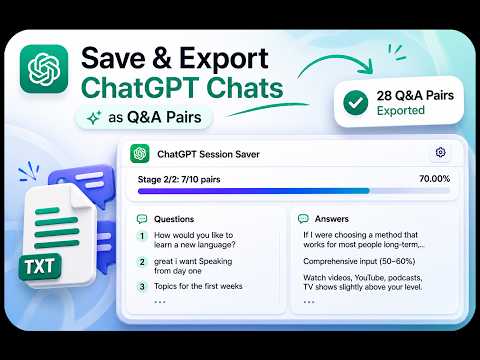
Export long ChatGPT chats to TXT as Q&A. Save full conversations, last 10/20/30 pairs, or sections without manual copying. Save and export long ChatGPT conversations without manually copying hundreds of messages. ChatGPT Session Saver is a FREE ChatGPT chat exporter that downloads conversations as clean TXT files, organized into Question & Answer pairs. Export an entire chat, save the last 10/20/30 Q&A pairs, or export from your current reading position. Built for long conversations, even when older messages load dynamically. ACTIVELY MAINTAINED — RECENT UPDATES October 2026 — Version 2.67 Hotfix • Fixed compatibility with ChatGPT's updated interface • Improved message detection and Q&A ordering • Restored support for image-only questions September 2026 — Major Update • Added Last 10/20/30 export modes • Improved long-chat extraction and recovery • Added independent exports across multiple tabs WHAT YOU CAN DO • Export entire ChatGPT chats to TXT • Save only the most recent 10, 20 or 30 Q&A pairs • Export messages above or below your current reading position • Search through collected questions and answers • Copy questions and answers separately • Restore recently saved exports • Track extraction progress, even after reopening the popup • Run exports in multiple ChatGPT tabs independently BUILT FOR REALLY LONG CHATS ChatGPT dynamically loads older messages, making long conversations difficult to save with ordinary copy-paste tools. Session Saver actively collects conversation history instead of relying only on messages currently visible on screen. Whether you're saving research, study sessions, debugging discussions or creative work, you can keep a structured, searchable copy for later use. YOUR CONVERSATIONS STAY PRIVATE Your chat content is processed locally in your browser. Conversation text, titles and identifiers are not sent to the developer's servers. Optional usage and performance analytics are OFF by default, require your consent, and never include conversation content. FREE TO USE Save your ChatGPT conversations, keep your research and take your Q&A history with you.
5 out of 51 rating
Details
- Version2.67
- UpdatedOctober 14, 2026
- Size236KiB
- LanguagesEnglish
- DeveloperWebsite
Email
ivangetmanov@icloud.com - Non-traderThis developer has not identified itself as a trader. For consumers in the European Union, please note that consumer rights do not apply to contracts between you and this developer.
Privacy

ChatGPT Session Saver has disclosed the following information regarding the collection and usage of your data. More detailed information can be found in the developer's privacy policy.
ChatGPT Session Saver handles the following:
This developer declares that your data is
- Not being sold to third parties, outside of the approved use cases
- Not being used or transferred for purposes that are unrelated to the item's core functionality
- Not being used or transferred to determine creditworthiness or for lending purposes