

XXL Prompt Manager for ChatGPT, Claude, Gemini, Perplexity, Grok and more!

總覽
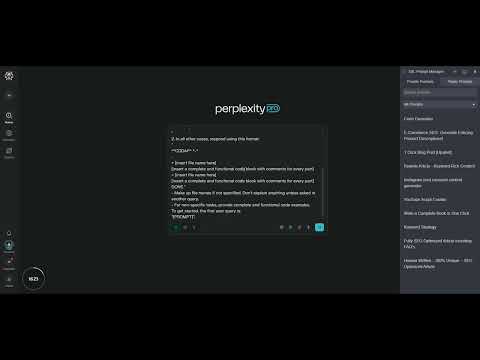
Copy, edit, and save prompts in your personal prompt library as templates, and use them across AI / LLM websites.
Copy 🔃, edit ✏️, and save 💾 prompts in your personal prompt library as template, and use them across many popular AI-websites. Create UNLIMITED (private) prompts to keep track and to organize your prompt templates. This is an essential tool for anyone who wants to save and access their prompts efficiently on ChatGPT, Claude, Gemini (Bard), Perplexity, Grok and more! Features: 🔥Unlimited private prompts 🔍 Search for prompts 📂 Add folders ✅ Add prompts 🔃 Copy prompts ✏️ Edit prompts ❌ Delete prompts ✨ Prompt Variables *NEW* 💾 Export prompts ➕ Import Prompts *NEW* 🧩 Hide Icon on LLMs *NEW* 🌍 Public prompts *Coming Soon* You no longer need to spend hours coming up with new prompts or rewriting prompts you used before, as you have quick access to your saved prompt templates and can make easily edits or modifications. Whether you're a professional writer, SEO Expert or a student looking for a way to save your prompt library the XXL Prompt Manager will make your AI writing process faster, easier, and more enjoyable. This free chrome extension will save you time and boost productivity! For issues, questions or suggestions: Please contact us at the support hub (link below). - - - - Changelog 1.4.5 - Added DeepSeek, Kimi, Qwen and Mistral Chat Integration - Added Italian, Turkish and Korean language translations Changelog 1.4.4 - Added Russian, Mandarin Chinese, Hindi, Portuguese, Indonesian, Japanese, Vietnamese language translations Changelog 1.4.3 - NEW: Prompt Variables with [Placeholder] - NEW: Import Prompts from CSV file (UTF-8) - NEW: Support and Share Button Link under Settings - NEW: Spanish and French Language Translation - NEW: Show or Hide Icon on LLMs Websites - General Improvements and UX Enhancement
3.7 分 (滿分 5 分)21 個評分
詳細資料
隱私權
這位開發者就你的資料做出下列聲明:
- 除經核准的用途外,不會將你的資料販售給第三方
- 不會基於與商品核心功能無關的目的,使用或轉移資料
- 不會為了確認信用度或基於貸款目的,使用或轉移資料
支援
如有疑問或建議,請使用電腦版瀏覽器開啟這個頁面