

ChatGPT Productivity Tools & Interface Enhancer – Pilot GPT
2 ratings
)
Overview
Enhances ChatGPT with navigation tools, interface improvements, and productivity features.
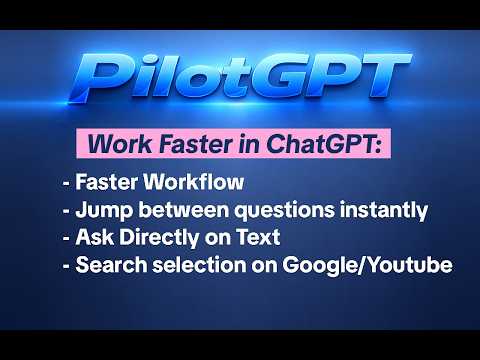
🚀 Pilot GPT: ChatGPT Productivity Tools & Compact UI Transform ChatGPT into a high-performance workspace. Less clutter, more focus. Do you use ChatGPT daily? Then you know the struggle: an endless sidebar, overwhelming UI elements, and repetitive typing for shorter answers. Pilot GPT is a lightweight extension designed to streamline your workflow and reclaim your screen real estate. 🛠 Key Features at a Glance: Compact Sidebar Mode: Consolidate navigation elements into a space-saving horizontal row. Perfect for small screens and a cleaner chat experience. Auto-Short Mode: Get concise answers automatically. The extension intelligently appends "Be brief" to your prompts—saving you from typing it every time. One-Click Sidebar Cleaner: Hide unused elements like Discovery, specific navigation links, or your entire GPT list with a single click. Project Highlighter: Make your ChatGPT Projects stand out visually, so you can find your most important workspaces instantly. Quick Toggle: Switch the "Short Mode" on or off via a simple checkbox directly under the chat bar—no page refresh required. ------------- V 1.2.0 Added new overview tools for long conversations, including quick access to your questions and shared images. Navigation is now faster and cleaner, making it easier to browse large ChatGPT threads. V 1.0.17 Scroll-Bug-Fix in Scroll bar Fixed an issue caused by recent GPT interface changes V 1.0.14 Scroll-Bug-Fix in Scroll bar ----------- 🎯 Why Choose Pilot GPT? Maximum Efficiency: Less visual noise means faster navigation and better concentration. Tailored Interface: Hide exactly what distracts you and keep only what is relevant to your workflow. Native Feel: It blends seamlessly into the existing ChatGPT design, feeling like a natural upgrade rather than a cluttered addon. Safe & Stable: Pilot GPT does not modify the AI’s core functions; it only enhances the display and usability in your browser. 👥 Built for Power Users: Whether you are a developer, student, researcher, or writer—if ChatGPT is your primary tool, Pilot GPT provides the professional interface you need to stay productive.
5 out of 52 ratings
Details
- Version1.2.0
- UpdatedMay 19, 2026
- Offered byGerman Board Forge
- Size71.61KiB
- LanguagesEnglish
- DeveloperJens Busse
Seumestraße 6b Hannover 30161 DEEmail
jensbnet@gmail.com - Non-traderThis developer has not identified itself as a trader. For consumers in the European Union, please note that consumer rights do not apply to contracts between you and this developer.
Privacy

ChatGPT Productivity Tools & Interface Enhancer – Pilot GPT has disclosed the following information regarding the collection and usage of your data. More detailed information can be found in the developer's privacy policy.
ChatGPT Productivity Tools & Interface Enhancer – Pilot GPT handles the following:
This developer declares that your data is
- Not being sold to third parties, outside of the approved use cases
- Not being used or transferred for purposes that are unrelated to the item's core functionality
- Not being used or transferred to determine creditworthiness or for lending purposes