


Overview
Chat manager with AI auto-tags, search, bulk actions, filters, export pdf/docx/md/png, chat navigator, prompt manager and more
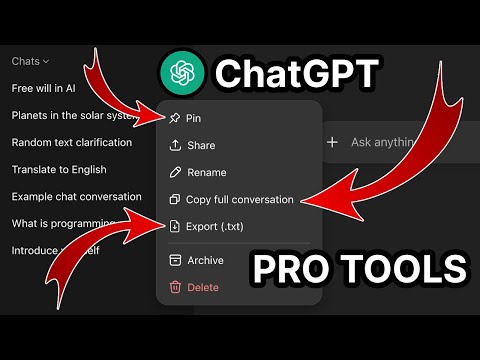
🧩 ChatGPT Pro Tools — extension that brings order to your ChatGPT chats. AI auto-tags organize your chats by topics, so finding anything in your history takes seconds. Plus a whole set of features inside to help you get more out of ChatGPT: ================================================================================================================== 🗂️ Chat Manager — a full-screen panel for all your chats in one place. Search and filter by date or tag, multi-select to bulk delete, archive, move, pin or export, and switch between list and card views with snippet previews 🏷️ AI Auto-Tags — one click to auto-tag your entire chat history with on-device AI (Gemini Nano). Once trained, every new chat is automatically tagged on the fly. Filter by tag in Chat Manager and the sidebar 🔍 Full-text search — find any message across your entire chat history, with highlighted snippet previews so you can spot the right chat at a glance 📅 Date filter — narrow your history by date or date range with a calendar picker 📄 Export chat to file — save the whole chat or selected messages as .pdf, .docx, .md or .txt, with code-block syntax highlighting and LaTeX math 🖼️ Download images — save all images from a conversation as a zip file 📋 Copy full conversation — copy the entire chat thread to your clipboard in one click 📌 Pin conversations — pin chats and group chats; pin badge syncs with the native sidebar instantly 🚀 AI Prompt Optimizer — improve your prompts (tone, length, context) with on-device Chrome Built-in AI Rewriter 📝 Prompt Manager — save, organize, and reuse prompt templates with {{variables}} 🔢 Input counter — see character and word count as you type ✂️ Message tools — collapse long messages, view per-message stats and timestamps 🔊 Audio download — save any assistant message as an audio file with voice selection 🧭 Chat Navigator — side panel with Q/A markers; hover to preview any message, click to jump 🗓️ Sidebar enhancements — chat dates, date and tag filters, and bulk actions right in the native sidebar ================================================================================================================== ⚡ Works instantly after install — no setup, no accounts, no servers 🌐 Available in 7 languages: English, Ukrainian, Russian, German, Spanish, French, Hindi 🔒 Privacy-first: 100% local. No data leaves your browser. AI features run on-device via Chrome Built-in AI ================================================================================================================== 💬 Feel free to drop a comment if you have any feature requests or ideas for improvement
5 out of 510 ratings
Details
- Version3.0.1
- UpdatedMay 12, 2026
- Size795KiB
- LanguagesEnglish (United States)
- DeveloperWebsite
Email
jumper211212@gmail.com - Non-traderThis developer has not identified itself as a trader. For consumers in the European Union, please note that consumer rights do not apply to contracts between you and this developer.
Privacy

This developer declares that your data is
- Not being sold to third parties, outside of the approved use cases
- Not being used or transferred for purposes that are unrelated to the item's core functionality
- Not being used or transferred to determine creditworthiness or for lending purposes
Support
For help with questions, suggestions, or problems, visit the developer's support site