


Overview
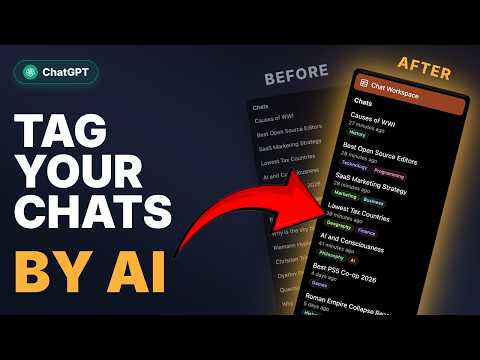
Chat Workspace with AI auto-tags, search, bulk actions, filters, saved replies, highlights, export, prompt manager and more
🧩 ChatGPT Pro Tools — extension that brings order to your ChatGPT chaos. AI auto-tags organize your chats by topics, so finding anything in your history takes seconds. Plus a whole set of features inside to help you get more out of ChatGPT: ================================================================================================================== 🗂️ Chat Workspace — a full-screen panel for all your chats in one place. Search and filter by date or tag, multi-select to bulk delete, archive, move, pin or export, and switch between list and card views with snippet previews 🏷️ AI Tags — generate a tag set from your chat titles, review it, and apply it to your whole chat history in two clicks. Once it's set up, new chats are tagged automatically as they appear. Filter by tag in Chat Workspace and the sidebar 📅 Date filter — narrow your history by date or date range with a calendar picker 🗒️ Chat notes — attach a note to any conversation 🧾 Chat summary — summarize any chat with AI at the length you pick, with emoji marking decisions, risks and open questions. The summary stays with the chat, counts the messages written since, and updates in one click 🔖 Saved messages — bookmark any assistant reply with one click 🖍️ Highlights — select any text in an assistant reply and highlight it in one click 📝 Prompt Manager — save, organize, and reuse prompt templates with {{variables}} 🚀 AI Prompt Optimizer — improve your prompts (tone, length, context) right from the message box 📄 Export chat to file — save the whole chat or selected messages in different formats, with code-block syntax highlighting and LaTeX math 🖼️ Download images — save all images from a conversation in one click 📋 Copy full conversation — copy the entire chat thread to your clipboard in one click, with formatting preserved 🔢 Input counter — see character and word count as you type ✂️ Message tools — collapse long messages, view per-message stats and timestamps 🔊 Audio download — save any assistant message as an audio file with voice selection 🗓️ Sidebar enhancements — chat dates, date and tag filters, and bulk actions right in the native sidebar 🔄 Cloud Sync — keep your tags, notes, summaries, highlights, saved messages, and prompts in sync across all your devices; opt-in, off by default, and end-to-end encrypted ================================================================================================================== ⚡ Works instantly after install — no setup, no account needed 🌐 Available in 7 languages: English, Ukrainian, Russian, German, Spanish, French, Hindi 💡 Free to install — optional Pro tier. Each AI button (Generate, Apply, Optimize, Summarize) gets one free cloud run a month and, in Chrome, unlimited runs on your device with Chrome Built-in AI. With Pro, cloud runs are unlimited 🔒 Privacy-first: no third-party analytics or trackers. A cloud AI run sends only what it needs — chat titles and tag names, the prompt you optimize, or the text of the chat you summarize — and none of it is stored; on-device runs send nothing. Usage statistics are anonymous and opt-in, and never include your chats. Pro checks its license with our server ================================================================================================================== 💬 Feel free to drop a comment if you have any feature requests or ideas for improvement
4.8 out of 538 ratings
Details
- Version3.7.0
- UpdatedOctober 15, 2026
- FeaturesOffers in-app purchases
- Size1.54MiB
- Languages7 languages
- DeveloperМикита СуязовWebsite
Leonida Kadeniuka Street 6 Pavlohrad, Дніпропетровська область 51400 UAEmail
jumper211212@gmail.comPhone
+34 656 43 66 93 - TraderThis developer has identified itself as a trader per the definition from the European Union and committed to only offer products or services that comply with EU laws.
Privacy

ChatGPT Pro Tools has disclosed the following information regarding the collection and usage of your data. More detailed information can be found in the developer's privacy policy.
ChatGPT Pro Tools handles the following:
This developer declares that your data is
- Not being sold to third parties, outside of the approved use cases
- Not being used or transferred for purposes that are unrelated to the item's core functionality
- Not being used or transferred to determine creditworthiness or for lending purposes
Support
For help with questions, suggestions, or problems, visit the developer's support site